
 Home
Home About Us
 Services
 Website Development Services
 PHP Website Development Services
 CakePHP Website Development Services
 Laravel Website Development
 Winery Website Development Services
 Jewellery Website Development Services
 Automotive Website Design Services
 Real Estate Website Design
 Hospital Management Software
 CMS Devlopment Services
 Wordpress Website Development
 Drupal Website Development
 Joomla Website Development
 Webflow Development Services
 Hubspot Development Service
 Framer Website Development Services
 WIX Development Services
 Squarespace Development Services
 AngularJS Website Development
 ReactJS Development Services
 Mobile App Development
 IOS Apps Developmnet
 Native Apps Developmnet
 Cross Platform App Development
 Flutter App Development
 Windows App Developmnet
 Phonegap Apps Developmnet
 Ionic Apps Developmnet
 Xamarin Apps Developmnet
 Progressive Apps Developmnet
 Ecommerce Services
 Shopify Development Services
 Bigcommerce Development Services
 Magento Development Service
 Prestashop Development Service
 Neto (Maropost) Commerce Development Service
 Opencart Development Services
 Woocommerce Development Services
 Shopify Plus Agency
 Shopify Cro Services
 Digital Marketing Services
 Search Engine Optimization
 Social Media Marketing
 Paid Media Advertising
 Google Ads Services
 Pay Per Click Service
 SEO Services India
 Content Marketing Services
 Email Marketing Services
 SEO Pricing
 Web Design Services
 Website Design Services India
 Website Design Services USA Canada
 Website Design Services British Columbia
 Graphics Design Services
 Logo Design
 Figma To HTML5
 FAQ's
FAQ's CMS Development Services
 Hubspot Development Services
 Hire Remote Developers
 Technology
 Wearable App Development
 Javascript Services
 ReactJS Development Services
 VueJS Development Services
 Virtual Employee Services
 Portfolio
 Blog
Blog Contact Us


 ioadmin
How to Create Pure CSS Accordion
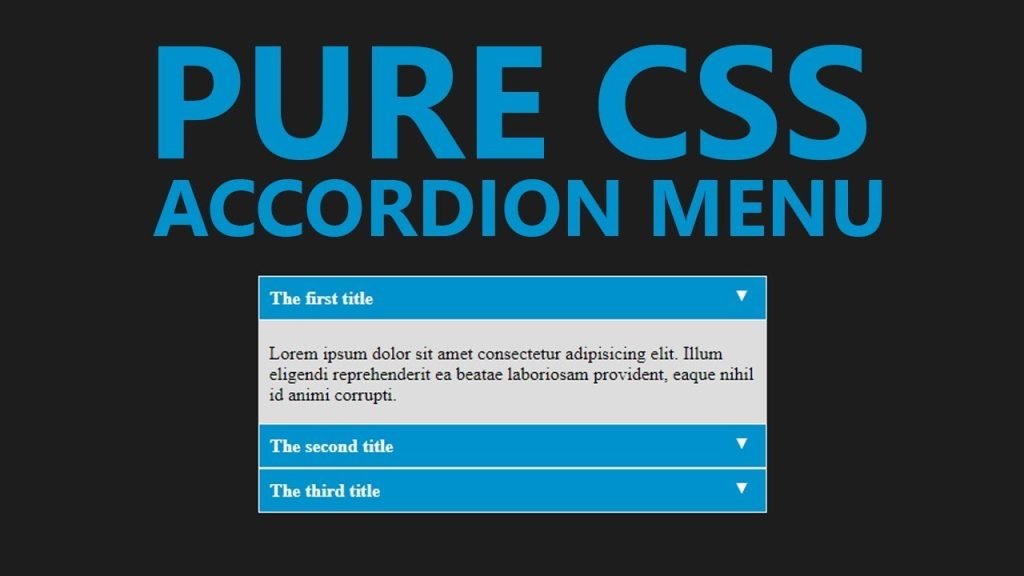
In this tutorial, I’ll create a CSS Accordion without using any jQuery or Javascript. As I mentioned in my previous post “An easy way to create Tabbed Content with jQuery & CSS” displaying a lot of information on one page is a bit difficult and we can use tabbed content or accordions to achieve the same without compromising on user experience.
We can always use jQuery to include nice effects on our css accordion. However, we are going to create a pure css accordion that will work on any browser, with or without javascript enabled.
Lets start with writing some HTML Code. We will use UL (unordered list) element to create our pure css accordion.
HTML Code for pure CSS Accordion:
<ul id="accordion">
  <li>
    <h2>Title One</h2>
    <div >
      Lorem ipsum dolor sit amet, consectetur adipisicing elit, sed do eiusmod
      tempor incididunt ut labore et dolore magna aliqua. Ut enim ad minim veniam.
    </div>
  </li>
  <li>
    <h2>Title Two</h2>
    <div >
      Tempor incididunt ut labore et dolore magna aliqua. Ut enim ad minim veniam,
      quis nostrud exercitation ullamco laboris nisi ut aliquip ex ea commodo.
    </div>
  </li>
  <li>
    <h2>Title Three</h2>
    <div >
      Quis nostrud exercitation ullamco laboris nisi ut aliquip ex ea commodo
      consequat. Duis aute irure dolor in reprehenderit in voluptate velit esse.
    </div>
  </li>
  <li>
    <h2>Title Four</h2>
    <div >
      Consequat. Duis aute irure dolor in reprehenderit in voluptate velit esse
      cillum dolore eu fugiat nulla pariatur. Excepteur sint occaecat cupidatat non
      proident, sunt in culpa qui officia deserunt mollit anim id est laborum.
    </div>
  </li>
</ul>
As you can see, I have a UL element and added a class named “accordion”. Within the LI element, I have H2 and a DIV tag with class “content”. And we will play with the CSS display attribute to create our pure css accordion.
Lets write some CSS code to stylise the same and hide our DIV.content within the LI tags.
CSS Code for pure CSS Accordion:
#accordion{
    width: 600px;
    margin: 0px;
    padding: 0px;
    list-style: none;
}
#accordion h2{
    font-size: 12pt;
    margin: 0px;
    padding: 10px;
    background: #ccc;
    border-bottom: 1px solid #fff;
}
#accordion li div.content{
    display: none;
    padding: 10px;
    background: #f9f9f9;
    border: 1px solid #ddd;
}
#accordion li:hover div.content{
    display: inherit;
}
As you can see in above code, we have used display: none for the div.content and on li:hover we have used display:inherit . The div.content is within the list element so this trick would work. If our div.content would have been outside this panel, we would have used jQuery to achieve the same.
Very soon, I’ll explain to achieve the same with jQuery and will use some nice animation as well.













Leave a Reply