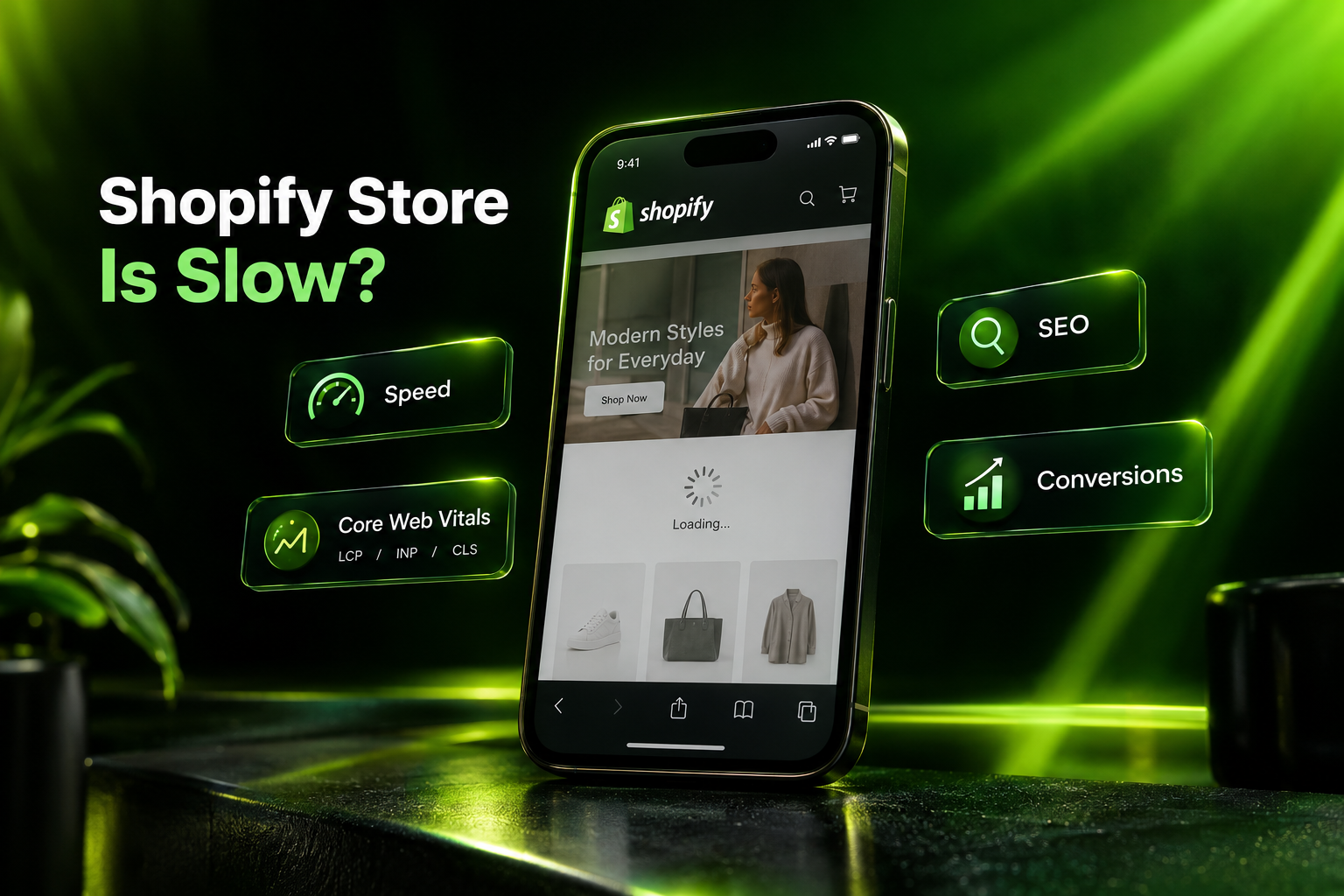
Shopify Store Is Slow? How to Fix It and Improve Speed, SEO & Conversions

Your Shopify store may look polished, have great products, and attract the right visitors—but if pages take too long to load, customers may leave before they ever see what makes your brand worth buying from.

A slow Shopify store can affect much more than a PageSpeed score. It can create friction while shoppers browse products, interact with filters, add items to the cart, or move toward checkout. Poor performance can also weaken the overall user experience that supports organic search visibility.

The good news is that Shopify itself is rarely the fundamental problem.

Shopify already provides managed hosting, a global CDN, image optimization, browser caching, compression, and other platform-level performance features. In many cases, slow storefronts become slow because of what has been added on top: theme code, Shopify apps, third-party scripts, tracking tags, oversized media, animations, and years of customizations.

If your Shopify store feels slow, this guide will help you identify what is actually causing the problem, what you can safely fix, and when deeper Shopify performance optimization is needed.Is Your Shopify Store Losing Customers Because of Speed?
Let our Shopify specialists review your theme, apps, scripts and Core Web Vitals to identify what is slowing down your storefront.
Request a Shopify Performance Audit →

Why Shopify Store Speed Matters to Your Business

Store speed isn’t simply a technical metric.

Imagine someone discovers your product through Google, Instagram, an influencer, or an email campaign. They tap your link from their phone.

The page begins loading.

The hero image takes too long to appear. A popup script runs. Reviews initialize. A tracking tool loads. The page shifts as another widget appears.

The shopper hasn’t even evaluated the product yet—and you’ve already made the buying journey harder.

This is why Shopify speed optimization should be approached as part of customer experience, SEO, and conversion optimization rather than as a race for a perfect testing-tool score.

Shopify states that better web performance can improve customer experience, conversion rates, and store discoverability. Its performance guidance identifies themes, installed apps, and manually added third-party code as major factors affecting Shopify storefront performance.

What a Slow Shopify Store Can Affect

A poorly optimized storefront can contribute to:

  • Higher abandonment from mobile visitors
  • Slower product and collection browsing
  • Delayed add-to-cart interactions
  • Frustrating navigation and filtering
  • Poor Core Web Vitals
  • Lower engagement with landing pages
  • Wasted SEO and marketing traffic
  • Reduced conversion opportunities

Speed matters because every visitor arrives with limited patience and many alternatives.

How Fast Should a Shopify Store Be?

Instead of obsessing over a single PageSpeed number, start with Google’s Core Web Vitals.

These metrics measure real aspects of the experience your shoppers receive.

Largest Contentful Paint (LCP)

What it measures: How quickly the main visible content loads.

Good target: 2.5 seconds or less

For a Shopify store, the LCP element might be your homepage hero, collection banner, or main product image.

Interaction to Next Paint (INP)

What it measures: How quickly your storefront responds when a visitor interacts with it.

Good target: 200 milliseconds or less

A poor INP can make actions such as opening menus, choosing variants, applying filters, or interacting with product components feel sluggish.

Cumulative Layout Shift (CLS)

What it measures: Unexpected movement of content while the page loads.

Good target: 0.1 or less

You’ve probably experienced this yourself: you’re about to tap a button and suddenly the page moves because another element loads above it.

That is exactly the kind of frustration CLS is designed to measure.

For Core Web Vitals, performance is generally evaluated at the 75th percentile of page loads.

Shopify Performance Benchmark

There is another useful reality check.

Shopify published platform-wide Liquid storefront data for January–February 2026 showing median performance of approximately:

LCP: 1.1 seconds
INP: 40 milliseconds
CLS: 0.001

That doesn’t mean every Shopify store should achieve those exact numbers. Stores vary considerably in design, apps, functionality, traffic, and custom development.

It does show something important:

Shopify itself is capable of delivering very fast storefront experiences.

If your store is substantially slower, the first question shouldn’t be “Is Shopify slow?”

It should be:

“What is my storefront loading that is making it slow?”

Why Is My Shopify Store So Slow?

There isn’t one universal answer.

We’ve seen Shopify stores where one poorly implemented feature creates most of the performance problem, while others accumulate dozens of smaller issues over several years.

Here are the areas we investigate first.

1. Too Many Shopify Apps

Apps make Shopify powerful, but every storefront app Shopify app development and integration should earn its place.

Review widgets, chat systems, recommendation engines, upsell tools, popups, loyalty programs, heatmaps, social feeds, currency tools and analytics platforms can introduce additional JavaScript, CSS, requests and third-party resources.

The problem isn’t simply the number of installed apps.

The important questions are:

  • What does the app load on the storefront?
  • Does it load on every page?
  • Does the feature need to load immediately?
  • Is another app providing the same functionality?
  • Is the app actually contributing to revenue or customer experience?
  • Did uninstalling an old app leave code behind?

How to Fix It

Audit every installed app and classify it as:

Essential | Useful | Replaceable | Unused

Remove applications that provide little business value.

But don’t stop at clicking Uninstall.

An app may leave theme snippets, scripts, stylesheets, app embeds, or other code behind. Review the theme after removing apps and clean up unused resources carefully.

Important: Don’t delete unfamiliar theme code directly on a live store. Work from a duplicate theme and test changes before publishing.

2. Your Shopify Theme Has Become Too Heavy

A theme that started fast can become considerably heavier after months or years of development.

Common causes include:

  • Repeated custom modifications
  • Large JavaScript bundles
  • Unused CSS
  • Multiple libraries doing similar jobs
  • Heavy sliders
  • Excessive animations
  • Old theme architecture
  • Poorly implemented sections
  • Duplicate functionality
  • Code from previous developers
  • App remnants

This is particularly common when several developers and agencies have worked on the same storefront over time.

How to Fix It

Perform a Shopify theme code audit.

Look for code that can be removed, simplified, conditionally loaded, deferred, or replaced with native Shopify functionality.

Don’t blindly delete functionality just to improve a benchmark.

The goal is a faster store that still sells effectively, not an empty storefront with a high performance score.

Has Your Shopify Theme Been Modified for Years?
We can audit legacy theme code, unused assets, app remnants and third-party scripts without rebuilding everything unnecessarily.

custom Shopify theme development
Get Your Shopify Theme Reviewed →

3. Large Images Are Slowing Important Pages

eCommerce naturally depends on visual content.

High-resolution product photography, lifestyle images, banners, lookbooks and promotional graphics can all improve merchandising—but images should be delivered according to how they are actually displayed.

A 4,000-pixel image does not need to be downloaded if a visitor only sees it inside a much smaller card.

Shopify Image Optimization Checklist

Make sure you:

  • Upload appropriately sized source images
  • Avoid unnecessarily large files
  • Use responsive image delivery
  • Set width and height attributes
  • Lazy-load below-the-fold images where appropriate
  • Avoid lazy-loading critical above-the-fold imagery without considering LCP
  • Remove unused image assets where relevant
  • Test product, collection and homepage imagery independently

Shopify already provides an image CDN and can resize, compress, and serve optimized image formats. The theme still needs to request and display those assets intelligently.

4. Your Hero Section Is Beautiful—but Expensive

One of the most common performance problems sits right at the top of the homepage.

A hero might contain:

  • Desktop background image
  • Mobile background image
  • Autoplay video
  • Slider
  • Animation library
  • Custom fonts
  • Multiple CTA effects
  • JavaScript transitions
  • Tracking events

All of this can happen before a visitor even begins scrolling.

Better Approach

Ask:

Does this hero actually help someone buy?

A strong hero doesn’t need five slides and complicated animations. Shopify performance optimization Often, one clear visual, one strong value proposition and one primary call to action provide a better customer experience while reducing unnecessary loading work.

5. Third-Party JavaScript Is Blocking the Experience

Your theme isn’t the only source of JavaScript.

Shopify stores commonly depend on third-party scripts for:

  • Google Tag Manager
  • Advertising pixels
  • Analytics
  • Heatmaps
  • Live chat
  • Reviews
  • Personalization
  • A/B testing
  • Affiliate tracking
  • Social integrations
  • Recommendation tools

Each script may appear small independently.

Together, they can become expensive.

What to Do

Create an inventory of every third-party script.

For each one, ask:

Who added it?
What business purpose does it serve?
Does it need to load immediately?
Does it need to run on every page?
Is the company still using it?

Old marketing campaigns often leave tracking code behind long after the campaign itself has ended.

Remove what isn’t required and reconsider when non-critical scripts execute Shopify development experts.

6. Too Much JavaScript Is Hurting Interactivity

A page can appear loaded but still feel slow.

You tap the menu.

Nothing happens immediately.

You select a variant.

There’s a delay.

You open a filter.

The interface hesitates.

This is where Interaction to Next Paint (INP) becomes particularly important.

Shopify specifically points to excessive JavaScript from theme code, apps, and third-party/tag-manager code as a likely contributor to poor INP.

How to Improve It

Depending on the store, improvements may include:

  • Removing unnecessary JavaScript
  • Splitting code by functionality
  • Loading scripts only where required
  • Deferring non-critical work
  • Reducing expensive event handlers
  • Replacing heavy libraries
  • Simplifying theme functionality
  • Auditing app-generated scripts
  • Reviewing tag-manager execution

This usually requires developer-level investigation rather than installing another “speed optimization” app.

7. Too Many Sections Are Loading on One Page

Modern Shopify themes make it easy to add sections.

That flexibility can become a performance problem when a homepage contains:

hero → announcement → featured collection → video → testimonials → recommendations → Instagram → reviews → another collection → blog → newsletter → social proof → another carousel.

Every section may bring additional HTML, images, CSS, JavaScript, and third-party functionality.

Fix the Page Around Buying Intent

Instead of asking:

“What else can we add?”

ask:

“What does the customer need to make the next decision?”

Remove sections that don’t help visitors understand the product, trust the business, navigate the catalog, or buy.

Performance optimization and conversion optimization should work together.

8. Large Collection Pages Are Doing Too Much

Stores with hundreds or thousands of products can run into problems when collection pages attempt to display too much at once.

Potential issues include:

  • Excessive product cards
  • Multiple product images per card
  • Swatches
  • Quick-add functionality
  • Review stars
  • Wishlist buttons
  • Complex filtering
  • Recommendation logic

Better Approach

Use sensible pagination or controlled loading and evaluate every feature included on product cards.

Shopify itself recommends pagination for collections containing large numbers of products rather than forcing excessive content to load at once Shopify eCommerce development.

9. Fonts Can Quietly Damage Performance

Custom typography is valuable for branding, but poor font implementation can add unnecessary network requests and visual instability.

Common problems include:

  • Too many font families
  • Too many weights
  • Loading fonts that aren’t actually used
  • Third-party font dependencies
  • Poor font-display behavior

Fix

Use only the font files and weights your design actually needs.

Brand consistency matters. Loading seven variations that nobody sees doesn’t.

10. Tracking Tags Have Accumulated Over Time

Marketing teams regularly add:

Meta Pixel
Google Ads
Google Analytics
TikTok
Pinterest
Affiliate systems
Heatmaps
Retargeting scripts
Experimentation tools

But removal rarely receives the same attention.

A store can therefore accumulate tracking code from campaigns that ended years ago.

Fix

Audit Google Tag Manager and every manually installed tracking script.

Remove duplicates, old pixels, unused events and tags that no longer support a current business requirement.

How to Find What Is Actually Slowing Down Your Shopify Store

Don’t begin by randomly removing things.

Start with evidence.

Step 1: Check Shopify’s Web Performance Reports

Shopify provides real-user performance reporting based around:

LCP
INP
CLS

This is especially useful because it reflects actual visitor experiences rather than only a single simulated test.

Review performance across mobile and desktop and look for changes that coincide with:

  • App installations
  • Theme releases
  • New marketing scripts
  • Design changes
  • New features

Step 2: Test Important Pages Individually

Don’t test only your homepage.

Check:

Homepage
Top collection pages
Best-selling product pages
Landing pages
Search/results pages where applicable

A homepage can perform well while a heavily customized product page performs badly.

Step 3: Use Google PageSpeed Insights

PageSpeed Insights can help identify issues involving:

  • LCP
  • INP
  • CLS
  • Render-blocking resources
  • JavaScript execution
  • Image delivery
  • Main-thread work
  • Third-party resources

Don’t treat every recommendation as a command.

Some generic testing-tool recommendations relate to infrastructure Shopify already manages.

Use the report to diagnose the storefront—not to chase a perfect score.

Step 4: Inspect the Browser Network and Performance Data

For deeper issues, browser developer tools can reveal:

  • Large requests
  • Slow third-party resources
  • JavaScript execution
  • Network waterfalls
  • Unused assets
  • Rendering bottlenecks

This is where an experienced Shopify developer can often distinguish between a symptom and the actual cause.

Why Installing a Shopify Speed App Isn’t Always the Answer

When a store owner searches “how to speed up Shopify store,” installing another app can sound like the easiest solution.

Sometimes an app can help with a specific optimization.

But consider the logic:

If your store is already slow because too many scripts and apps are running, adding another layer of code may not address the root problem.

Start with:

Diagnosis → Remove waste → Optimize existing code → Improve delivery → Measure again

rather than:

Slow store → Install another app → Hope

Should You Change Your Shopify Theme?

Not automatically.

If the theme’s foundation is good, optimizing the existing theme may be more practical than rebuilding the entire storefront.

Consider a theme rebuild or major upgrade when:

  • The theme is significantly outdated
  • Legacy code is difficult to maintain
  • Years of modifications have created technical debt
  • Important functionality is duplicated
  • Performance issues are architectural
  • The current UX is also hurting conversions Shopify website redesign
  • Your business requirements have outgrown the existing theme

The decision should come after an audit—not before it.

Shopify Speed Optimization and SEO: What’s the Connection?

A faster store does not magically guarantee a #1 Google ranking.

SEO depends on many signals, including relevance, content quality, links, technical accessibility and competition.

But performance still matters.

A faster Shopify store can improve the experience visitors receive after clicking a search result. Core Web Vitals also provide Google with measurable information about real-world page experience.

For eCommerce SEO, this matters across:

Product pages
Collection pages
Category landing pages
Blog content
Campaign landing pages

Think about speed as one component of a broader Shopify SEO strategy, not a substitute for one.

Don’t Sacrifice Conversion Features Just to Get a 100 Score

This is another common mistake.

Imagine a product recommendation tool makes the page slightly heavier but generates meaningful additional revenue.

Removing it just to move a synthetic performance score from 92 to 100 might be the wrong business decision.

Shopify itself notes that there is no universal requirement to achieve a perfect performance score and recommends balancing features against their effect on web performance Shopify CRO services.

The question isn’t:

“How do we get 100?”

The better question is:“How do we make this storefront faster without removing features customers actually use?”

Shopify Speed Optimization Checklist

If your Shopify store is running slowly, review these areas:

Theme

  • Update your theme where appropriate
  • Audit custom Liquid
  • Remove obsolete code
  • Reduce unused CSS and JavaScript
  • Review animations and transitions
  • Limit unnecessary sections

Apps

  • Audit installed apps
  • Remove unused applications
  • Check for leftover app code
  • Avoid duplicated functionality
  • Review app embeds

Images & Video

  • Right-size images
  • Use responsive images
  • Lazy-load appropriate media
  • Review LCP imagery
  • Avoid unnecessary autoplay video
  • Set image dimensions

JavaScript

  • Remove unnecessary libraries
  • Defer non-critical scripts
  • Reduce main-thread work
  • Load features only where needed
  • Review third-party JavaScript

Tracking

  • Audit Google Tag Manager
  • Remove outdated pixels
  • Remove duplicate tracking
  • Delay non-essential marketing scripts where appropriate

UX

  • Simplify overloaded pages
  • Reduce unnecessary sliders
  • Review popup behavior
  • Optimize mobile navigation
  • Improve product and collection interactions

Measurement

  • Review Shopify Web Performance reports
  • Check PageSpeed Insights
  • Compare mobile and desktop
  • Monitor LCP, INP and CLS
  • Re-test after every meaningful change

When Should You Hire a Shopify Speed Optimization Expert?

Basic image compression or removing an unused app may be straightforward.

You may need professional Shopify performance optimization services when:

  • PageSpeed problems return after every fix
  • Core Web Vitals remain poor
  • Mobile performance is significantly worse than desktop
  • You have a heavily customized theme
  • Removing apps hasn’t solved the problem
  • Product or collection pages remain slow
  • Add-to-cart or filtering feels delayed
  • You don’t know which scripts are safe to remove
  • Your development team needs a technical performance review
  • Speed problems are affecting SEO, paid traffic, or conversions

A good performance audit shouldn’t begin with deleting features. It should identify what is slow, why it is slow, what business function it serves, and the safest way to improve it.

Turn a Slow Shopify Store Into a Better Shopping Experience

Customers shouldn’t have to wait for your storefront to catch up with their buying intent.

If your Shopify store has accumulated apps, custom code, scripts, tracking tools and theme modifications over the years, performance problems are rarely solved by one button.

They need to be diagnosed properly.

At IOGOOS Solution, our Shopify developers review the complete storefront experience—from theme architecture and Liquid code to apps, JavaScript, third-party scripts, images, Core Web Vitals and mobile performance.

We don’t remove useful features simply to produce an impressive test score Shopify eCommerce case studies.

We focus on improving performance while protecting the functionality your customers and business depend on.

Your Shopify Store May Be Faster Than You Think

Before rebuilding your theme or installing another optimization app, find out what’s actually causing the slowdown.

Contact IOGOOS for a Shopify Performance Audit

We’ll review the key performance issues affecting your storefront and identify practical opportunities to improve speed, Core Web Vitals, user experience, SEO readiness and conversion performance.[Get My Shopify Performance Audit →]

Frequently Asked Questions About Shopify Store Speed

Why is my Shopify store so slow?

Common causes include a heavily customized theme, unnecessary apps, third-party JavaScript, large media files, excessive page sections, tracking tags and outdated theme code. Shopify already handles many infrastructure-level optimizations, so troubleshooting should normally focus on your storefront implementation.

Do too many Shopify apps slow down a store?

They can. Apps that load scripts, CSS, widgets or third-party resources on the storefront can affect performance. The impact varies considerably by app, so evaluate what each application loads rather than judging performance only by the total number installed.

What is a good Shopify LCP?

A Largest Contentful Paint of 2.5 seconds or less is considered good. LCP measures how quickly the main visible content becomes available to the visitor.

What is a good INP for Shopify?

An Interaction to Next Paint of 200 milliseconds or less is considered good. Poor INP can make menus, filters, variants and other interactive elements feel unresponsive.

What is a good CLS score?

A Cumulative Layout Shift of 0.1 or less is considered good. Lower CLS means customers experience fewer unexpected layout movements while pages load.

Does Shopify store speed affect SEO?

Performance and page experience can contribute to search visibility, but speed is only one part of SEO. Content relevance, authority, internal linking, technical SEO, search intent and other factors remain important.

Will compressing images make my Shopify store faster?

It can help when oversized images are part of the problem, but image compression alone won’t fix slow JavaScript, excessive apps, heavy theme code or third-party scripts.

Should I install a Shopify speed optimization app?

Not before identifying the cause of the slowdown. Some tools can help with specific tasks, but adding another app won’t necessarily solve underlying problems in theme code, third-party scripts or existing applications.

Can I improve Shopify speed without changing my theme?

Often, yes. Existing themes can frequently be improved by removing obsolete code, optimizing scripts and media, auditing apps and improving how resources are loaded. A rebuild should be recommended only when there is a clear technical or commercial reason.

How can I check my Shopify store speed?

Start with Shopify’s Web Performance reports and Google PageSpeed Insights. Test multiple page types and compare mobile and desktop performance rather than relying on a single homepage test

Why is my Shopify store fast on desktop but slow on mobile?

Mobile devices can have less processing power and slower network conditions. Heavy JavaScript, large images, animations and third-party scripts can therefore become much more noticeable on mobile.

Can Shopify speed optimization improve conversions?

Better performance can reduce friction throughout the shopping journey. Shopify states that improved web performance can contribute to better customer experience and conversion rates. Actual conversion impact will vary by store, traffic, products and the problems being fixed.

How long does Shopify speed optimization take?

It depends on the cause. A focused theme or app cleanup can be relatively straightforward, while a heavily customized storefront with years of legacy code and third-party integrations may require deeper development work. A technical audit should come before promising a timeline.
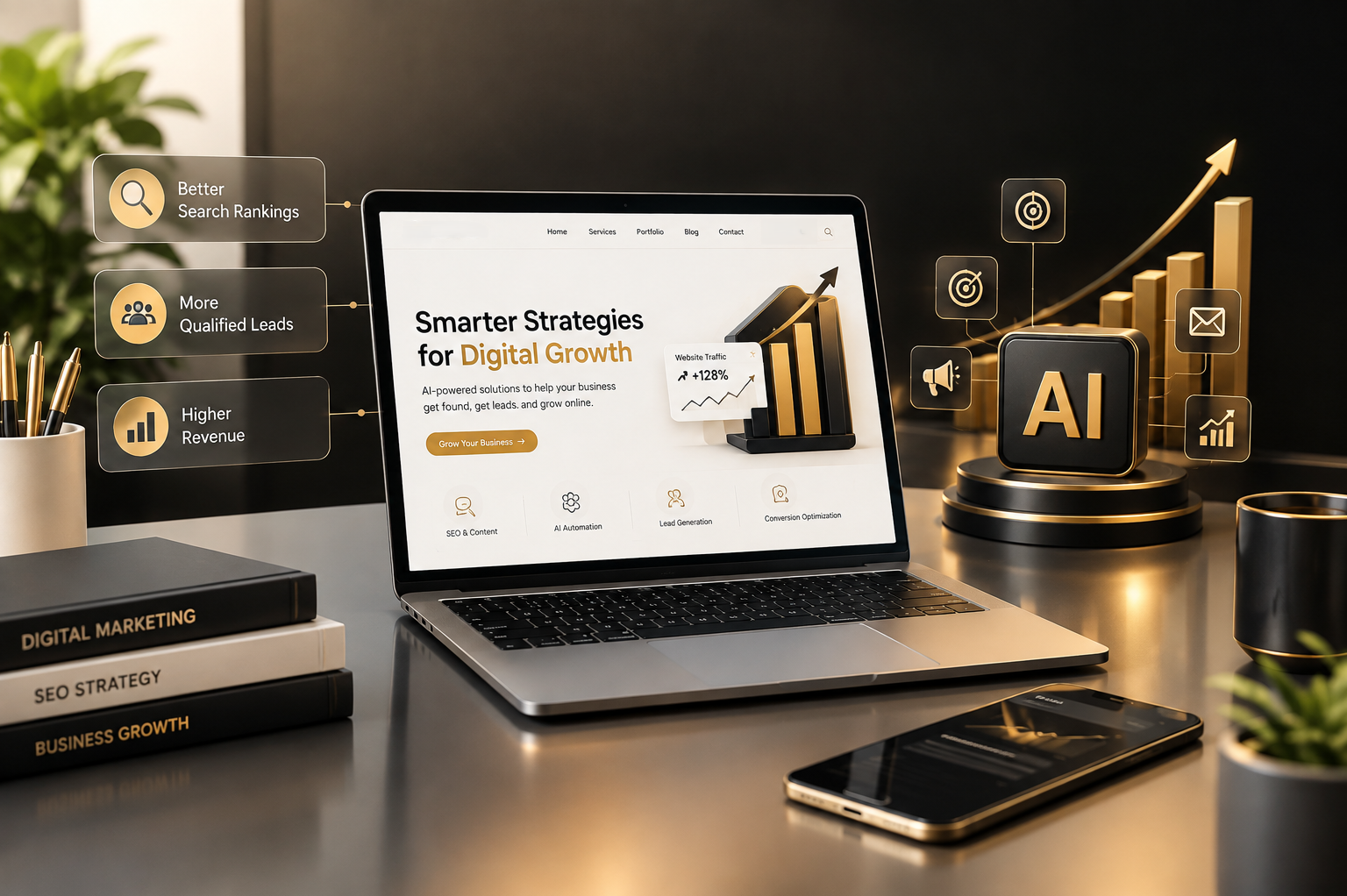

How AI Can Help Promote Your Business Website and Drive Digital Growth

Your website should do more than sit on Google and wait for visitors. It should attract the right audience, build trust, generate qualified leads, and help turn website traffic into paying customers.

Artificial intelligence (AI) is changing how businesses approach website promotion, search engine optimization, content marketing, lead generation, and online sales. From identifying the keywords your potential customers search for to personalizing website experiences, AI can help businesses make better marketing decisions and improve how they connect with their audience.

But there is an important distinction: AI alone does not guarantee higher rankings, genuine traffic, or increased revenue. Businesses need a well-planned SEO strategy, useful content, a technically sound website, and conversion-focused marketing to turn AI-assisted work into measurable business results.

This guide explores how AI can support website promotion, improve search visibility, attract relevant visitors, generate leads, and help businesses build a website that contributes to revenue.

Why Businesses Need AI-Powered Website Promotion Today

Imagine spending months building a professional website, investing in attractive design, publishing service pages, and waiting for potential customers to contact you. But weeks pass, and your analytics report shows very little relevant traffic. Your competitors appear in search results, while your business struggles to reach the people who are actively looking for your services.

This is a common challenge for businesses competing online. A website may look professional, but design alone does not bring consistent customers. Businesses need to connect their website with what people search for, the problems they want to solve, and the reasons they should choose one provider over another.

AI can assist with several parts of this process:

  • Identifying relevant SEO keywords and customer search intent.
  • Finding content opportunities based on customer questions.
  • Supporting website content optimization and content planning.
  • Helping businesses analyze traffic, engagement, and marketing performance.
  • Assisting with personalized customer communication.
  • Supporting lead qualification and follow-up processes.

The goal is not to publish more content simply because AI makes it faster. The goal is to create useful content, attract the right visitors, and give those visitors a clear path toward becoming customers.

A Data-Driven Look at AI and Website Discovery

Google reported in August 2025 that overall organic click volume to websites from Google Search was relatively stable year over year, while its internal data indicated improved average click quality. The company also highlighted that users continue clicking to explore detailed information, reviews, and purchase-related content. This reinforces the importance of publishing useful, trustworthy website content rather than relying only on short answers.

A separate 2026 Semrush study analyzed billions of visits across more than 50,000 websites and 17 industries. It reported that AI referral traffic grew by 66% in 2025, although AI traffic represented less than 0.15% of total visits in its dataset. These findings suggest that AI discovery is developing, but traditional organic search remains an important part of website acquisition.

What does this mean for your business? AI should be part of a wider marketing system that combines SEO, website quality, customer trust, and conversion opportunities.

1. Use AI to Find the Right SEO Keywords Before Your Competitors Reach Your Customers

A website can offer excellent services and still receive little search traffic if its content does not match the phrases potential customers use.

For example, a company offering ecommerce development may focus on a broad keyword such as “ecommerce website.” However, customers with a stronger purchasing intention might search for:

  • Shopify Development Services
  • Hire Shopify Developers
  • Custom Ecommerce Website Development
  • BigCommerce Development Company USA
  • Enterprise Ecommerce Development
  • Ecommerce Website Migration Services

Businesses can target relevant commercial keywords such as Shopify Development Services to connect their content strategy with specific ecommerce solutions.

These searches represent different needs. Someone researching ecommerce platforms may still be learning, while someone searching for a development company may be comparing service providers and preparing to request a quotation.

Businesses looking for a dedicated ecommerce solution can explore BigCommerce Development Services to understand platform-specific development options.

AI can help marketers organize these differences by analyzing keyword ideas, search intent, related questions, and the problems behind each search. It can also support competitor content analysis and identify gaps that deserve original coverage.

How AI-Assisted Keyword Research Works

A practical workflow can include:

  1. Understand your business services. Identify the services, products, locations, and customer types you want to reach.
  2. Collect keyword ideas. Use SEO tools and AI-assisted brainstorming to discover relevant search phrases.
  3. Group keywords by intent. Separate informational searches from commercial investigation and service-related searches.
  4. Review competition and search demand. Check keyword difficulty, search volume, current results, and the quality of competing pages.
  5. Create a content plan. Match keywords with service pages, supporting articles, FAQs, and conversion-focused landing pages.

For example, an informational article about planning a Shopify store could naturally lead readers toward a Shopify Development Services page when they need professional assistance.

Commercial CTA: Are you targeting the right keywords for your business website? Review your existing service pages and identify whether they answer customer questions and provide a clear next step. A targeted SEO strategy can help you focus marketing efforts on relevant search intent.

2. Create Helpful, Original Content That Builds Search Visibility and Customer Trust

Publishing blog posts is not enough to attract qualified customers. Your content must answer real questions, demonstrate expertise, and give readers a reason to continue exploring your website.

Many businesses face a difficult choice: they know regular content matters, but producing well-researched articles takes time. Writers need to understand the industry, avoid repetitive explanations, verify information, and create content that is useful to actual customers.

AI can support the research and planning process, but businesses should maintain human review, fact-checking, and original insights.

Use Trust Signals Instead of Empty Marketing Claims

A professional business blog becomes more convincing when it includes evidence that helps readers evaluate the company.

Useful trust signals include:

  • Relevant client case studies.
  • Original project screenshots.
  • Clear service descriptions.
  • Author information and editorial review.
  • Accurate industry statistics with source attribution.
  • Transparent explanations of timelines and project requirements.
  • Genuine testimonials, where permission has been obtained.
  • Examples of technical expertise and completed work.

Google’s guidance on AI-generated content emphasizes that content should be created primarily to help people, rather than to manipulate search rankings. AI-assisted writing therefore needs a clear quality-control process and a meaningful purpose for the reader.

3. Improve Search Engine Ranking Through Technical SEO and Content Optimization

One of the biggest mistakes businesses make is expecting AI-written content to solve every SEO problem. Search visibility depends on many factors, including relevance, content quality, website accessibility, technical health, and how users interact with search results.

AI can support SEO analysis, but it should not replace proper technical audits or human decision-making.

Where AI Can Support SEO Improvements

Website content optimization

AI can review page structure and help identify opportunities to improve title tags, meta descriptions, headings, internal linking, and content clarity. Every suggestion should be checked for accuracy and relevance.

Technical SEO checks

AI-assisted tools can help summarize potential issues involving:

  • Broken links.
  • Missing or duplicated metadata.
  • Crawlability.
  • Page performance.
  • Mobile usability.
  • Structured data implementation.
  • Content duplication.

These tools do not remove the need for appropriate technical testing. A recommendation should be validated before changes are deployed.

Internal linking

Strategic internal links help visitors discover related pages and help search engines understand the relationship between content on a website.

For example, an article about AI Automation in E-commerce could link to related service pages about Shopify development, ecommerce website development, or business contact options when those links genuinely help the reader.

Search intent alignment

A page targeting a commercial keyword should provide useful information about the service, explain its benefits, address customer concerns, and make it easy to take the next step. A page targeting an informational keyword should answer the user’s question clearly without forcing an irrelevant sales pitch.

Ranking Is Not a One-Week Promise

Businesses should be cautious of agencies or tools that promise guaranteed Google rankings or a fixed number of leads within a short period. SEO performance depends on the industry, competition, website condition, content quality, search demand, and other factors.

Track meaningful progress through measurable indicators such as:

SEO metricWhat it helps you understand
Organic impressionsHow often your pages appear in search results
Search clicksHow many users visit from search
Relevant keyword visibilityWhether your pages appear for target searches
Organic conversionsWhether visitors take valuable actions
Qualified leadsWhether inquiries match your ideal customer
Revenue from organic trafficWhether SEO contributes to business income

Conversion CTA: Don’t judge your SEO campaign only by keyword positions. Connect search performance with actual business outcomes, including qualified inquiries, booked consultations, sales, and revenue.

4. Generate Relevant Website Traffic Instead of Chasing Empty Visitor Numbers

More visitors do not automatically mean more customers.

A website can receive thousands of visits from people who have no interest in its services. A smaller number of relevant visitors may be more valuable if they are actively researching a purchase, requesting a quote, or comparing providers.

AI can help businesses develop a traffic strategy around the audience they want to attract.

Combine Informational SEO With Commercial Content

01 A strong website promotion strategy should connect different stages of the customer journey.

Awareness: The customer has a question

02 The customer searches for information, such as “How can AI help an ecommerce business?”

Consideration: The customer explores solutions

03 The customer reads an article, compares approaches, and researches possible service providers.

Commercial intent: The customer evaluates providers

04 The customer searches for phrases such as “Hire Shopify Developers” or “Custom Ecommerce Development.”

Conversion: The customer takes action

The website offers a clear consultation request, contact form, quotation request, or other appropriate next step.

AI can help identify related questions, organize topics, and suggest connections between informational articles and commercial service pages. The content must still provide genuine value at each stage.

Example: Turning an Article Into a Customer Journey

Suppose an agency publishes a blog called “How AI Can Help Improve Ecommerce Website Performance.”

The article could explain:

  • How AI can assist with customer behavior analysis.
  • How personalization may improve product discovery.
  • How automated support can help answer common questions.
  • How analytics can reveal conversion barriers.
  • What businesses should consider before investing in AI tools.

Businesses can learn more about AI Automation in E-commerce and how it can support website promotion, customer experience, and digital growth.

A relevant internal link could guide interested readers toward Ecommerce Development Services. The service page can then explain the agency’s capabilities, project approach, and how customers can request more information.

The link should be useful in context—not inserted merely to increase the number of backlinks.

Commercial CTA: Review your top-performing blog articles. Do they guide readers toward relevant services, helpful resources, or a clear contact option? If visitors finish reading without knowing what to do next, you may be missing an opportunity to generate qualified inquiries.

5. Use AI to Support Lead Generation and Turn Website Visits Into Business Opportunities

Getting a visitor to your website is only the beginning. The next challenge is helping that visitor take a meaningful action.

Many businesses spend money on SEO and advertising but lose potential customers because their website does not clearly communicate what happens after someone submits an inquiry.

A visitor might be interested in your services but hesitate because:

  • The contact form asks for too much information.
  • There is no clear explanation of the service.
  • The website lacks relevant project examples.
  • The customer cannot find pricing guidance or a consultation option.
  • The next step is unclear.
  • The business does not respond promptly to inquiries.

AI can support parts of the lead-generation process, but the website’s messaging, trust signals, and follow-up workflow remain essential.

AI-Assisted Lead Generation Strategies

1. Identify high-intent visitors

Analytics and marketing platforms can help businesses examine visitor behavior, traffic sources, and interactions. Use appropriate privacy safeguards and consent practices when collecting or processing customer data.

2. Offer useful conversion opportunities

Different visitors may need different next steps:

  • Request a project consultation.
  • Ask for a quotation.
  • Schedule a discovery call.
  • Download a relevant guide.
  • Explore a case study.
  • Contact a specialist.

The CTA should match the content and the visitor’s likely needs.

3. Use chatbots for common questions

An AI chatbot can help answer routine questions about services, project processes, and availability. It should provide accurate information, clearly identify when automation is involved where appropriate, and offer a way to reach a human representative for complex requests.

4. Support lead qualification

AI-assisted workflows may help organize incoming inquiries by service type, project requirements, timeline, or other business-defined criteria. The business should validate the information and ensure that automated categorization does not unfairly exclude potential customers.

Example: A Visitor Who Becomes a Qualified Lead

A business owner searches for “Custom Shopify Development Services” and arrives at a relevant service page.

Businesses planning a new Shopify store can explore Custom Shopify Development to understand relevant development options for their project requirements.

Instead of displaying only a paragraph about the company’s experience, the page could provide:

  1. A clear explanation of the service.
  2. A description of the problems it solves.
  3. Relevant portfolio examples.
  4. Information about the development process.
  5. A consultation or quotation CTA.
  6. A simple contact form.
  7. A confirmation message explaining the next step.

The customer now has more information and a clearer path to contacting the business.

CTA: Ready to improve your website’s lead-generation process? Review your service pages, contact forms, and inquiry workflows. Look for points where potential customers might have questions, lose confidence, or struggle to take action.

6. Personalize Website Experiences to Help Customers Make Purchasing Decisions

Every website visitor arrives with different expectations. Some people want to compare services, others need technical guidance, and some are ready to contact a provider.

A website that presents the same experience to every visitor may miss opportunities to address these different needs.

AI-powered personalization can help businesses understand customer preferences and provide more relevant experiences when the necessary data, tools, and privacy practices are in place.

Practical Examples of AI-Powered Personalization

Personalized product recommendations

An ecommerce store can use customer behavior and product information to recommend relevant products. For example, a visitor browsing running shoes may see related footwear, accessories, or products based on their activity.

Relevant content suggestions

A website visitor reading about Shopify migration may be shown related content about data migration planning, theme compatibility, or ecommerce development services.

Targeted customer messaging

Businesses can use customer segments and consent-based data to provide more relevant email campaigns, offers, and follow-up communications.

Personalized support

AI-powered support systems can help customers find answers based on their questions and the information available in the company’s knowledge base.

Personalization should not feel intrusive or make unsupported assumptions about a visitor. The experience should remain useful, transparent, and respectful of customer privacy.

Why Personalization Matters for Commercial Intent

Consider two visitors:

  • Visitor A is reading an introductory article about ecommerce platforms.
  • Visitor B is searching for an agency to migrate an existing Shopify store.

Both may be interested in ecommerce, but their immediate needs differ. Relevant content and clear service pathways can help each visitor find the information that fits their stage of decision-making.

Conversion CTA: Examine your website’s most important visitor journeys. Can a customer quickly find the content, product, or service that matches their current needs?

7. Use AI to Support Paid Advertising and Reach Customers With Buying Intent

Organic search is important, but it is not the only way to promote a business website. Paid advertising can help businesses reach selected audiences through platforms such as Google Ads and social advertising networks.

AI is increasingly integrated into advertising platforms for tasks such as audience targeting, creative assistance, campaign optimization, and performance analysis.

Google’s India-focused Marketing Live 2025 announcement described AI-related advertising capabilities and reported a 15% increase in conversions in an early AI Max test by Cashify. This was a reported result from a specific company test, not a guaranteed outcome for all advertisers.

Build an Advertising Strategy Around Business Objectives

A campaign should start with a clear objective:

  • Generate consultation requests.
  • Promote a specific service.
  • Increase ecommerce purchases.
  • Attract customers in a target location.
  • Encourage visitors to complete an inquiry.
  • Re-engage eligible previous visitors.

AI can help produce ad copy variations, identify potential keyword themes, and assist with campaign analysis. However, businesses still need to define their audience, budget, landing page, and conversion measurement.

Why Your Landing Page Matters

Imagine a business spending money to advertise “Hire Shopify Developers.” The advertisement brings users to a page that only contains general information about the company, with no clear description of Shopify services or a contact option.

The advertising campaign may attract visitors, but the landing page may not give them enough confidence to inquire.

A relevant landing page should explain:

  • What service the business provides.
  • Who the service is intended for.
  • What challenges the team can help address.
  • Relevant experience or project examples.
  • How to request a consultation or quotation.

Commercial CTA: Before increasing your advertising budget, check whether your landing pages match the promise of your advertisements. A clear message and relevant next step can make the visitor experience more useful.

8. Turn Website Analytics Into Decisions That Can Improve Leads and Revenue

AI-powered marketing becomes more useful when businesses measure what happens after a visitor arrives.

A website might receive more traffic but fewer inquiries. Another website might receive fewer visitors but generate higher-value projects. Without conversion and revenue data, it is difficult to understand which marketing activities are contributing to business objectives.

Track the Metrics That Matter to Your Business

MetricBusiness question
Organic trafficAre relevant users discovering our website through search?
EngagementAre visitors finding the content useful?
Conversion rateWhat proportion of visitors take a desired action?
Qualified leadsAre the inquiries relevant to our services?
Cost per leadHow much are we spending to acquire an inquiry?
Customer acquisition costWhat does it cost to gain a customer?
RevenueIs our marketing contributing to actual business income?
Return on ad spendHow much revenue is associated with advertising spend?

These metrics should be interpreted according to the business model. A service agency may measure consultation requests and signed projects, while an ecommerce business may focus on purchases, average order value, and repeat customer activity.

A Simple Revenue Measurement Example

Suppose a business receives 1,000 relevant website visitors in a month.

  • 40 visitors submit inquiries.
  • 10 inquiries become qualified opportunities.
  • 2 opportunities become paying customers.
  • Each customer generates ₹50,000 in revenue.

The example produces ₹1,00,000 in revenue from those two customers. It is an illustration, not a forecast or a benchmark.

The business can then examine which marketing channels and landing pages contributed to the inquiries, whether the leads were suitable, and where improvements might be possible.

AI-assisted analytics may help identify patterns in this information. However, attribution is not always exact, especially when customers interact with multiple channels before making a purchase.

Conversion CTA: Connect your website analytics with your business goals. Track not only how many people visit your website, but also how many become qualified leads and paying customers.

9. Use AI to Strengthen Your Brand’s Visibility in Search and AI-Generated Answers

Search behavior is changing. Users increasingly encounter information through traditional search results, AI-generated summaries, and conversational search interfaces.

This creates an additional consideration for businesses: how can their website content be easy to understand, trustworthy, and relevant when search systems identify sources to show users?

Businesses should not assume that appearing in an AI-generated answer is guaranteed by adding a particular keyword or using a specific tool. Instead, they should focus on strong foundational practices.

AI automation in e-commerce

Content Practices That Support Search Discoverability

Write clear, specific answers. Explain questions directly and avoid unnecessary filler.

Demonstrate expertise. Include accurate information, relevant experience, and original examples.

Maintain content quality. Review outdated information, fix factual errors, and update important pages when needed.

Build useful website structure. Use descriptive headings, appropriate internal links, and clear navigation.

Support credibility. Cite reliable sources when presenting statistics or industry claims.

Make service information easy to understand. Explain what your business offers, whom it serves, and how potential customers can get in touch.

Shopify Development Services

Google’s public statements about AI search emphasize that users continue to explore websites for detailed information, unique perspectives, and content that helps them make decisions. Businesses can respond by prioritizing useful, original website content rather than treating AI visibility as a replacement for SEO fundamentals.

AI Search Is Not a Substitute for Website SEO

Semrush’s 2026 traffic study reported that AI referral traffic was growing, but still represented a small proportion of total visits in its analyzed dataset. The study also found that organic search remained a major source of traffic.

This supports a balanced approach: improve your website for conventional search while producing content that is clear and useful in changing discovery environments.

Commercial CTA: Review your website’s most important pages. Are your service descriptions, business information, and expertise clear enough for both potential customers and search systems to understand?

10. Create an AI-Assisted Content Promotion Strategy That Brings Visitors Back to Your Website

Publishing one article and waiting for results is rarely a complete website promotion strategy.

Content promotion involves distributing useful material through channels that are relevant to your target audience. AI can help businesses plan variations of content for different platforms, identify possible promotional themes, and organize publishing workflows.

The original article should remain the foundation. Promotional versions should be adapted to each channel rather than copied everywhere without consideration.

A Practical Content Promotion Workflow

  1. Research the topicIdentify a genuine customer problem and collect relevant, reliable information.
  2. Publish the main website articleCreate a detailed resource with original insights, relevant keywords, and appropriate internal links.
  3. Create promotional contentAdapt the key insights into LinkedIn posts, short educational updates, email content, or other suitable formats.
  4. Direct interested users to the websiteUse natural, relevant links to the original article or a related service page.
  5. Review performanceExamine traffic, engagement, inquiries, and conversions to understand which activities are useful.

Example for an Ecommerce Development Agency

A company publishes an article about AI-Powered Product Recommendations in E-commerce.

It could then create:

  • A LinkedIn post explaining how product recommendations work.
  • A short educational post about common ecommerce personalization challenges.
  • An email highlighting practical considerations for store owners.
  • A related service-page link for businesses seeking ecommerce development support.
  • BigCommerce Development Company

The content should be adapted for the platform and audience. Promotional messages should not make unsupported claims or promise guaranteed sales.

CTA: Do you have valuable website content that is receiving little attention? Build a promotion plan that connects your articles with relevant audiences and measurable business goals.

11. Build a Website That Works Like a Sales Machine—With the Right Strategy Behind It

The phrase “sales machine” sounds attractive to business owners because it reflects an important goal: a website that consistently supports customer acquisition and revenue.

However, no website or AI tool can guarantee a continuous stream of sales without considering the product or service, market demand, pricing, customer experience, competition, and marketing execution.

A sales-focused website should work toward several connected objectives:

  1. Attract relevant visitors through search, content, advertising, and other appropriate channels.
  2. Build confidence through clear information, credible evidence, and professional presentation.
  3. Address buying concerns with useful answers, examples, and transparent service information.
  4. Encourage action through relevant CTAs and a straightforward contact or purchase process.
  5. Support follow-up so genuine inquiries receive appropriate attention.
  6. Measure business results to identify what is contributing to leads and revenue.

What a Conversion-Focused Website Should Include

Professional and User-Friendly Design

Visitors should be able to understand your offer and navigate the website comfortably on desktop and mobile devices.

Relevant Portfolio and Case Studies

Show practical examples of your work where you have permission to publish them. Explain the project context and the services delivered.

Clear Conversion Paths

Make it easy for visitors to find what they need and take action. Provide clear options to request information or schedule a consultation. Use simple and visible calls-to-action throughout the website.
Guide visitors smoothly toward the next step in their journey. Keep important contact and inquiry options easy to find.

Analytics and Ongoing Improvement

Use reliable data to understand website performance and identify opportunities to improve the customer journey.

The Business Impact of Connecting These Elements

Consider a company that invests in SEO but has confusing service pages. Even if the company attracts more relevant visitors, some may leave without contacting the business.

Now consider a website with clear service descriptions, useful content, project examples, strong internal linking, and a straightforward inquiry process. It still cannot guarantee a conversion, but it gives interested visitors more information and a clearer way to move forward.

Are you planning to improve your ecommerce website or build a new online store? Contact iOGOOS to discuss your project requirements and explore suitable development solutions.

12. A Practical AI-Powered Website Promotion Plan for Businesses

AI marketing tools become more valuable when they are connected to a clear implementation plan. Businesses should start with their current situation rather than adopting every available tool at once.

The following framework can help organize a website promotion project.

Phase 1: Website and SEO Audit

Foundation

Review existing pages, technical issues, keywords, search performance, and conversion paths.

Phase 2: Content and Keyword Strategy

Identify relevant topics, prioritize commercial keywords, and create original articles and service-page improvements.

Phase 3: Website Optimization

Improve page clarity, technical SEO, internal links, mobile experience, and conversion opportunities.

Phase 4: Content Promotion

Promote relevant content through suitable channels, including organic search, social media, email, and paid campaigns where appropriate.

Phase 5: Measurement and Refinement

Track relevant traffic, leads, conversion rates, and revenue indicators. Use the findings to prioritize improvements.

What to Prioritize First

Not every business needs the same order of work. For example:

  • A website with technical problems may need an SEO audit before publishing a large amount of content.
  • A website with traffic but few inquiries may need a conversion and messaging review.
  • A new business may need foundational keyword research and service-page development.
  • An established ecommerce business may need product content improvements, customer experience analysis, and analytics refinement.

AI can assist across these activities, but the strategy should be based on the business’s actual needs.

Common Mistakes to Avoid When Using AI for Website Promotion

AI can make some marketing tasks more efficient, but careless implementation may create new problems.

Mistake 1: Publishing AI-Generated Content Without Review

Unedited content can contain factual errors, repetitive language, generic examples, or unsupported claims. Human review is important, especially for commercial service pages and industry-specific information.

Mistake 2: Targeting Keywords Without Understanding Intent

A keyword with high search volume is not automatically valuable for every business. The searcher’s purpose, competition, relevance, and potential business value should be considered.

Mistake 3: Buying Traffic Without a Conversion Strategy

Traffic campaigns may bring visitors, but the landing page and offer need to address the needs of the target audience. Review campaign results alongside qualified leads and business outcomes.

Mistake 4: Using Fake Reviews or Unsupported Statistics

Trust is difficult to build and easy to damage. Businesses should use genuine evidence, accurately attributed research, and transparent claims.

Mistake 5: Expecting Instant SEO Results

SEO and content marketing may require ongoing work and measurement. Businesses should avoid guaranteeing specific rankings, traffic volumes, or revenue outcomes without a credible basis.

Mistake 6: Ignoring Privacy and Customer Data Protection

AI systems that process customer information should be implemented with appropriate security, access controls, and privacy requirements. Businesses should understand how their tools handle data before using them in customer-facing workflows

How to Measure Whether AI Is Helping Your Business Grow

A successful website promotion strategy should be evaluated using clear business objectives. AI adoption by itself is not a measure of success.

Suggested Monthly Performance Review

AreaWhat to review
Search visibilityImpressions, relevant search terms, and landing-page performance
Content qualityUpdates, accuracy, engagement, and content usefulness
Lead generationInquiry volume, lead quality, and response process
ConversionContact form completion, consultation bookings, or purchases
RevenueRevenue attributed to marketing where measurement is appropriate
Technical SEOSite health, page performance, mobile usability, and indexing issues
Marketing efficiencyCampaign cost, conversion value, and return on investment

The exact metrics and review period should match the business’s sales cycle. A high-value B2B service may require a longer period to evaluate qualified leads and closed projects than a business selling low-cost products online.

CTA: Start with a small set of measurable objectives. Review your performance regularly and use the findings to improve the website promotion strategy instead of relying on assumptions.

FAQs: AI Website Promotion and Digital Growth

1. How can AI help promote a business website?

AI can support keyword research, content planning, SEO analysis, personalization, marketing analytics, and lead-generation workflows. Businesses should combine these capabilities with a broader strategy and human review.

2. Can AI improve a website’s Google search ranking?

AI can assist with SEO tasks such as content analysis, keyword research, and technical issue identification. However, AI does not guarantee higher rankings. Search performance depends on multiple factors, including relevance, content quality, technical website health, and competition.

3. Can AI generate real website traffic and leads?

AI can help businesses plan content, identify relevant audiences, and support marketing activities that attract visitors. Real traffic and lead generation depend on the quality of the strategy, customer demand, website experience, and conversion process.

4. How does AI help businesses increase website revenue?

AI can support customer analysis, content optimization, personalization, and marketing workflows. Revenue improvements depend on factors such as conversion rates, customer acquisition costs, product or service demand, and the effectiveness of the overall sales process.

5. Is AI-generated content good for SEO?

AI-assisted content can be useful when it provides accurate, original, relevant information and is created for people. Businesses should review and improve content to ensure it meets their quality standards and serves the reader’s needs.

6. How long does it take to see results from AI-powered website promotion?

The timeframe varies according to the website’s starting condition, competition, marketing channels, content quality, and business objectives. There is no universal guaranteed timeline for achieving specific SEO rankings or revenue results.

Final Thoughts: Use AI to Support Growth, Not Replace Good Marketing

AI is changing how businesses research keywords, create content, analyze customer behavior, improve website experiences, and manage marketing workflows. It can help teams organize their work and identify opportunities, but the results depend on how thoughtfully the technology is applied.

A website that attracts relevant visitors, answers customer questions, demonstrates expertise, and provides clear conversion opportunities has a stronger foundation for supporting business growth.

The most useful approach is to connect AI-Powered SEO, Website Promotion, Content Marketing, Lead Generation, and Conversion Optimization with a clear business strategy.

Rather than asking only, “How can AI generate more traffic?” businesses should also ask:

  • Are we reaching the right audience?
  • Does our website answer customer questions?
  • Are our service pages convincing and easy to understand?
  • Are we converting relevant visitors into qualified leads?
  • Can we measure the connection between marketing activity and revenue?

These questions help businesses focus on outcomes rather than simply producing more content or collecting larger visitor numbers.

Ready to improve your website’s digital growth strategy?

At iOGOOS, businesses can explore ecommerce development and website-related services based on their specific needs. Start by reviewing your current website, identify opportunities for improvement, and plan the next steps around your customers and business objectives.

AI-Powered Personalization in E-commerce: How AI Is Creating Smarter Shopping Experiences

Imagine a customer visits an online store looking for running shoes.

Instead of seeing the same products displayed to every visitor, the store immediately understands that this shopper previously viewed lightweight shoes, prefers a particular price range, and regularly purchases fitness products.

The homepage changes.

The product recommendations change.

The search results become more relevant.

Even the promotional message can change according to the shopper’s interests.

That is the difference between a traditional online store and an AI-powered personalized e-commerce experience.

Today, customers have thousands of products and hundreds of online stores to choose from. If they cannot quickly find something relevant, they can leave with a single click. For e-commerce businesses, this creates a serious challenge: attracting visitors is no longer enough. Businesses need to understand what each shopper wants and make the buying journey easier.

This is where AI-powered personalization in e-commerce becomes commercially valuable.

AI can analyze browsing behavior, previous purchases, product searches, cart activity, customer preferences, and other signals to deliver more relevant experiences. When implemented correctly, personalization can help businesses improve engagement, increase conversions, encourage repeat purchases, and generate more revenue from existing traffic.

Why E-commerce Personalization Has Become a Revenue Priority

The biggest problem facing many online stores is not always a lack of traffic.

It is irrelevant traffic and poor customer experiences.

A visitor may arrive through Google, an advertisement, social media, or an AI assistant. But if the website shows the same products, offers, and content to everyone, the customer still has to do all the work.

That creates friction.

A customer may think:

  • “Which product is right for me?”
  • “Is there a better option?”
  • “Why am I seeing products I don’t need?”
  • “Does this store understand what I’m looking for?”
  • “Should I compare this with another website?”

Every unanswered question increases the possibility of losing the sale.

Personalization addresses this problem by making the shopping experience more relevant to the individual.

Adobe research has found that 76% of consumers are more likely to consider purchasing from brands that personalize the customer experience. The same research identifies relevant recommendations, tailored messaging, targeted promotions, and behavior-based communication as important personalized experiences.

For an e-commerce business, that matters because personalization is not simply about making a website look smarter.

It is about removing obstacles between customer intent and purchase.

What Is AI-Powered Personalization in E-commerce?

AI-powered personalization uses artificial intelligence and customer data to adapt an online shopping experience according to individual shopper behavior and preferences.

Traditional personalization might use simple rules.

For example:

“If a customer buys men’s shoes, show men’s socks.”

AI-powered personalization can go much further.

It can identify patterns across thousands or millions of interactions and use those patterns to predict what a particular customer may want next.

An AI system can consider signals such as:

  • Products viewed
  • Search queries
  • Previous purchases
  • Cart activity
  • Purchase frequency
  • Product categories visited
  • Price preferences
  • Location
  • Device behavior
  • Customer lifecycle stage
  • Engagement with emails
  • Products frequently purchased together

The result is a shopping experience that can adapt as the customer interacts with the website.

Someone visiting for the first time may receive popular recommendations.

A returning customer may see products related to previous purchases.

A high-intent shopper may receive comparisons or complementary products.

A loyal customer may see personalized offers based on their buying history.

This is why e-commerce AI solutions are becoming increasingly important for businesses that want to turn customer data into practical buying experiences.

The Real Business Problem: Customers Do Not Want to Search Forever

Think about a physical retail store.

If a customer walks in and says, “I need a laptop for video editing under $1,500,” a good salesperson does not point toward an enormous warehouse and say, “Everything is over there.”

Ask relevant questions.

Narrow down the choices.

Explain the key differences.

They recommend suitable products.

Help the customer make an informed decision.

Online stores need to provide a similar experience digitally.

The difference is that an AI system can help perform this process across thousands of customers simultaneously.

That makes AI e-commerce personalization particularly valuable for large product catalogs.

Instead of forcing every shopper to navigate hundreds of categories and product pages, intelligent systems can help surface the products most relevant to that individual.

And when customers find relevant products faster, the path toward conversion becomes much shorter.

10 Ways AI Personalization Can Increase E-commerce Revenue

1. Personalized Product Recommendations

Product recommendations are one of the most visible applications of AI personalization.

Instead of displaying random or universally popular products, AI can recommend products based on individual behavior and relationships between products.

For example:

A customer purchases a camera.

The system may recommend:

  • Compatible lenses
  • Memory cards
  • Camera bags
  • Tripods
  • Extra batteries

The recommendation is not simply an advertisement.

It is connected to the customer’s purchase intent.

Adobe has reported that approximately 30% of e-commerce revenue can come through product recommendation paths, highlighting why personalized product discovery deserves serious attention from online retailers.

For businesses, this can create opportunities to increase:

Average Order Value (AOV)

and

Revenue per Customer.

Want better product discovery on your store?

A professionally developed recommendation experience can connect customer behavior with relevant products without making the website feel complicated.

CTA: If your store has a large catalog and customers struggle to find the right products, consider an AI-powered e-commerce development solution designed around your customer journey.

2. Smarter E-commerce Search

Search is one of the most important moments in an online shopping journey.

A customer who searches for:

“black running shoes for women under $100”

does not necessarily want pages of products containing those exact words.

They want products that match the meaning behind the search.

AI can help interpret natural-language searches, customer preferences, previous behavior, and product attributes to provide more relevant results.

This can reduce the frustration caused by irrelevant search results.

Adobe has reported that users of its AI-powered Live Search saw a 15% lift in conversion rates, while its product recommendation technology has been associated with a 25% increase in average order value for Adobe Commerce users.

That makes intelligent search more than a convenience feature.

It can become a conversion tool eCommerce website development

3. Personalized Offers That Encourage Purchases

Not every customer responds to the same offer.

A first-time visitor may respond to free shipping.

A repeat customer may be more interested in loyalty rewards.

A price-sensitive shopper may respond to a discount.

Another customer may not need a discount at all.

AI can help identify these differences and support more relevant offers.

Adobe research found that 61% of consumers surveyed said personalized promotions make them more likely to purchase, while 67% said they wanted personalized promotions or offers based on their spending habits.

The commercial opportunity is clear:

Instead of discounting products for everyone, businesses can make promotions more relevant to specific customer groups.

That can help protect margins while improving the likelihood of conversion.


4. Reduce Cart Abandonment With Behavioral Personalization

A customer adds a product to the cart.

Then they leave.

For an e-commerce business, this is one of the most frustrating moments in the sales funnel.

The customer showed buying intent, but something interrupted the purchase.

AI can analyze behavioral patterns and help businesses understand when shoppers are at risk of abandoning their carts.

Personalized follow-ups can then be used through channels such as:

  • Email
  • SMS
  • Push notifications
  • On-site messages
  • Personalized recommendations

The message can also be more relevant.

Instead of:

“You left something in your cart.”

A personalized experience could remind the shopper about the exact product, relevant benefits, availability, or complementary products.

The objective is not to repeatedly chase customers.

It is to remove the reason they hesitated.

5. Personalized Experiences for Returning Customers

Getting the first purchase is only part of the e-commerce journey.

The bigger opportunity can come from encouraging customers to return.

AI can help businesses recognize returning shoppers and personalize the experience according to their previous interactions.

For example, an online beauty store may recognize that a customer frequently purchases skincare products.

When that customer returns, the website can prioritize:

  • Recently purchased products
  • Replenishment reminders
  • Compatible products
  • New products within the same category
  • Relevant promotions

This creates a sense that the store remembers the customer.

And that feeling matters.

Adobe’s research shows that consumers increasingly expect brands to anticipate their needs with relevant information or offers. In Adobe’s 2025 retail research, 69% of consumers said anticipating their needs with relevant offers or information at the right moment was important, while only 35% felt brands were delivering effectively.

That gap represents an opportunity for e-commerce businesses willing to improve personalization.

6. AI Can Turn Customer Data Into Buying Signals

Most e-commerce businesses already have enormous amounts of customer data.

The problem is knowing what to do with it.

A store may have information about:

  • Thousands of purchases
  • Millions of product views
  • Search activity
  • Customer reviews
  • Cart events
  • Email interactions
  • Repeat purchases
  • Product returns

Without intelligent analysis, much of that information remains underused.

AI can identify patterns that are difficult to detect manually.

For example:

Customers who purchase Product A may frequently purchase Product B within 30 days.

Repeated views of Product C can indicate strong purchase intent, especially when customers receive additional product information.

Customers who purchase a particular product may need a replacement after a certain period.

These insights can support more intelligent marketing and merchandising decisions.

The result is a move from guessing what customers want toward using behavioral evidence to make better decisions.

7. Personalized Content Can Improve Customer Engagement

Personalization is not limited to products.

It can also apply to content.

An e-commerce website can personalize:

  • Homepage content
  • Product descriptions
  • Promotional messages
  • Email campaigns
  • Recommendations
  • Educational content
  • Product comparisons
  • Loyalty messages

For example, a customer interested in premium products may see content emphasizing quality and long-term value.

A price-conscious customer may see savings, bundles, or value-focused messaging.

The product can remain the same.

The message changes according to customer intent.

This is where AI-powered content and personalization can work together.


8. AI Can Help Create Better Cross-Selling and Upselling

Cross-selling is about recommending complementary products.

Upselling encourages customers to consider a higher-value option.

The challenge is relevance.

If a customer buys a laptop and immediately sees unrelated kitchen products, the recommendation feels random.

But if the customer sees:

  • Laptop accessories
  • A larger storage option
  • A compatible monitor
  • A laptop bag
  • Extended warranty

the recommendation makes sense.

AI can analyze relationships between products and customer behavior to determine which recommendations are more relevant.

The objective should not be:

“How many products can we show?”

It should be:

“Which additional product genuinely makes this purchase more useful?”

That distinction creates a better customer experience and a stronger commercial opportunity.

9. AI-Powered Personalization Can Improve Customer Experience Across Channels

Customers rarely interact with a brand through only one channel.

They may discover a product through Google, research it on a website, see an advertisement on social media, receive an email, and eventually purchase through a mobile device.

If every interaction feels disconnected, the customer experience becomes frustrating.

Adobe’s 2025 retail research found that 75% of consumers considered a consistent experience across websites, mobile apps, email, social media, and physical stores important, but only 41% said brands were delivering effectively.

AI can help connect customer signals across these touchpoints.

A shopper who viewed a product on one device may later receive relevant recommendations.

A customer who already purchased an item should not continue receiving aggressive acquisition messages for the same product.

A returning shopper should see content that reflects their relationship with the brand.

This creates a more connected customer journey.


10. AI Can Help E-commerce Businesses Prepare for AI-Led Shopping

There is another important reason businesses should invest in personalization.

Customers themselves are starting to use AI during the buying journey.

Adobe reported in 2025 that generative AI traffic to U.S. retail websites increased 4,700% year over year in July 2025. Its research also found that 38% of surveyed consumers had used generative AI for online shopping, with 52% planning to do so that year.

More recent Adobe research shows the trend continuing: 86% of shoppers use AI during retail journeys, while integrated AI experiences such as “recommended for you” sections and image search are already used by 52% of shoppers surveyed.

This changes the way businesses should think about digital commerce.

The customer may no longer begin with:

“Which website should I visit?”

They may begin with:

“Which product is best for my needs?”

and ask an AI assistant to help them decide.

That means e-commerce businesses need strong product information, structured data, useful content, relevant recommendations, and technically sound websites that can support increasingly intelligent shopping experiences.

How AI Personalization Moves Customers Through the Sales Funnel

A strong personalization strategy can support every stage of the buying journey.

Awareness

AI helps businesses deliver more relevant content and product discovery experiences.

Consideration

Personalized recommendations, comparisons, reviews, and educational content help shoppers evaluate options.

Decision

Relevant offers, product information, availability, and personalized messaging can reduce hesitation.

Purchase

AI can recommend complementary products and improve the checkout journey.

Retention

Post-purchase recommendations and replenishment reminders can encourage repeat purchases.

Loyalty

Customer behavior can help businesses create more relevant loyalty experiences.

This is why AI e-commerce personalization should not be treated as a single website feature.

It should be considered part of the complete customer journey.

What Data Does AI Need for E-commerce Personalization?

AI personalization works best when businesses have useful customer and product data.

Common inputs include:

Behavioral data:
Pages viewed, searches, clicks, carts, and purchases.

Product data:
Categories, attributes, prices, availability, brands, and product relationships.

Customer data:
Purchase history, preferences, loyalty information, and customer segments.

Contextual data:
Device, location, time, referral source, and current browsing session.

Engagement data:
Email clicks, promotional interactions, reviews, and previous campaign activity.

The goal is not to collect every possible piece of information.

The goal is to use appropriate data responsibly to provide a better experience.

Privacy and Trust: The Part E-commerce Businesses Cannot Ignore

Personalization can increase relevance, but poor implementation can damage trust.

Customers want businesses to understand their needs without feeling that their privacy has been ignored.

Adobe’s 2025 retail research found that 87% of consumers considered responsible and secure handling of personal data important, while only 46% believed brands were delivering effectively on that expectation.

That means businesses need to think about:

  • Data security
  • Consent
  • Transparency
  • Responsible AI usage
  • Data minimization
  • Clear privacy policies
  • Appropriate personalization

Good personalization should feel helpful.

Bad personalization can feel intrusive.

The difference is trust.

Common E-commerce Personalization Mistakes

AI does not automatically create a better shopping experience.

Poor implementation can produce the opposite result.

Showing Too Many Recommendations

More recommendations do not necessarily mean more sales.

Customers need useful choices, not an endless product wall.

Using Old Customer Data

If recommendations are based on outdated behavior, customers may receive irrelevant products.

Personalizing Without a Strategy

Installing an AI tool without defining the business objective can create complexity without meaningful results.

Ignoring Product Data Quality

AI cannot produce consistently relevant recommendations when product information is incomplete, inconsistent, or poorly structured.

Forgetting Mobile Shoppers

A personalization strategy that works on desktop but creates friction on mobile can lose potential customers.

Treating AI as a Replacement for Customer Understanding

AI should support business decisions, not replace human judgment.

The strongest results come from combining technology with a clear understanding of customers and business goals.

How to Build an AI-Powered Personalized E-commerce Store

Businesses considering personalization should start with the customer journey rather than immediately choosing an AI tool.

Step 1: Identify the Revenue Problem

Determine where customers are leaving.

Is the problem:

  • Poor product discovery?
  • Low conversion?
  • Cart abandonment?
  • Low average order value?
  • Few repeat purchases?
  • Weak customer engagement?

Step 2: Analyze Available Data

Review customer, product, behavioral, and transaction data.

Step 3: Choose High-Value Personalization Opportunities

Start with areas where personalization can have a measurable commercial impact.

Examples include:

  • Product recommendations
  • Intelligent search
  • Personalized offers
  • Cross-selling
  • Email personalization
  • Replenishment reminders

Step 4: Integrate AI With the E-commerce Platform

The AI layer should work with the website, product catalog, customer data, analytics, eCommerce Development Services, CRM, and marketing systems.

Step 5: Test Customer Experiences

Do not assume a personalization strategy will work simply because it uses AI.

Test different recommendations, messages, layouts, and offers.

Step 6: Measure Business Results

Track metrics such as:

  • Conversion rate
  • Average order value
  • Revenue per visitor
  • Repeat purchase rate
  • Customer lifetime value
  • Cart abandonment
  • Engagement
  • Revenue from recommendations

This turns personalization from a technology project into a measurable business initiative.

AI Personalization Is Becoming a Competitive Advantage

The e-commerce businesses that understand personalization early can create an experience that feels significantly more helpful than a generic online store.

Customers do not want to spend 20 minutes searching through products that do not match their needs.

They want relevant options.

Expect brands to remember their preferences.

They want quick answers.

Value useful and relevant recommendations.

And increasingly, they expect digital experiences to understand context.

Adobe’s recent research shows that shoppers are already using AI as part of their buying journeys, with AI-driven shopping becoming increasingly integrated into product research and discovery.

For e-commerce businesses, the message is straightforward:

Personalization is no longer simply a “nice-to-have” website feature. It is becoming part of the way customers discover, evaluate, and purchase products online.

Why Businesses Should Invest in AI-Powered E-commerce Development

Buying an AI tool is easy.

Creating a personalized e-commerce experience that actually contributes to revenue is much harder.

The technology needs to work with the store’s architecture, product catalog, customer data, search functionality, analytics, marketing systems, and conversion strategy.

This is where choosing the right eCommerce Development Company can make a significant difference.

A professional development team can help businesses evaluate their existing e-commerce infrastructure, identify personalization opportunities, integrate AI capabilities, improve product discovery, and create a smoother buying journey.

Instead of adding AI simply because it is trending, businesses can focus on practical applications that support measurable commercial goals.

CTA: Planning to make your online store more intelligent and customer-focused? Explore ourContact an e-commerce development team to discuss how AI, personalization, intelligent search, and modern e-commerce technology can be integrated into your store.

The Future of E-commerce Is Personal

The next generation of online shopping will not be built around showing every customer the same storefront.

It will be built around relevance.

A shopper searching for a specific product should find the right options faster.

A returning customer should see products connected to their interests.

A customer ready to buy should receive information that removes hesitation.

And a loyal customer should receive experiences that recognize their relationship with the brand.

AI makes this level of personalization more achievable by turning customer behavior and product information into actionable recommendations.

But the technology itself is not the final objective.

The real objective is more useful shopping experiences, stronger customer relationships, better conversions, and more revenue.

For e-commerce businesses ready to move beyond generic shopping experiences, AI-powered personalization can become one of the most valuable components of a modern digital commerce strategy.

Ready to build a smarter e-commerce experience? Contact an experienced e-commerce development team and turn customer data into more relevant shopping journeys and stronger business results.

Your E-commerce Pricing Could Be Losing Sales Without You Knowing

A customer lands on your product page.

They like the product.

They add it to their cart.

Then they leave.

You may blame the product description, the checkout process, or the competition.

But sometimes, the problem is much simpler:

The price was wrong at that exact moment.

Maybe demand was rising and your price was too low.

Maybe demand had slowed and your price was too high.

Maybe a competitor had just launched a similar product at a lower price.

Maybe your inventory was sitting too long while your pricing team was still working from last month’s spreadsheet.

For an e-commerce business with hundreds or thousands of products, manually deciding the right price for every SKU is almost impossible.

This is where AI-powered dynamic pricing changes the game.

Instead of treating pricing as a fixed number, businesses can use AI pricing solutions to analyze demand, competitor prices, inventory, customer behavior, seasonality, promotions, and other market signals to recommend or automatically adjust prices.

And the financial impact of getting pricing right can be enormous.

McKinsey research has found that, assuming volume remains stable, a 1% price increase can translate into an approximately 8.7% increase in operating profit.

That doesn’t mean every business should simply increase prices by 1%.

It means something much more important:

Pricing is not just a checkout detail. It is a major profit lever.

If your e-commerce business is still relying on fixed prices, manual spreadsheets, or gut-feeling decisions, you may be leaving revenue on the table.

What Is AI-Powered Dynamic Pricing?

AI-powered dynamic pricing is a pricing strategy in which artificial intelligence and data analytics help an e-commerce business determine the most appropriate price for a product based on changing business and market conditions.

Traditional pricing often looks like this:

Product cost → Fixed markup → Final price

AI-powered pricing can look more like this:

Demand + Competitor Pricing + Inventory + Customer Behavior + Seasonality + Promotions + Product Performance → AI Pricing Analysis → Recommended Price

The goal isn’t simply to charge more.

The goal is to identify the price that creates the best balance between:

  • Conversions
  • Revenue
  • Profit margin
  • Inventory movement
  • Customer demand
  • Competitive positioning
  • Long-term customer value

This makes dynamic pricing for e-commerce especially valuable for businesses selling products in competitive markets where demand and competitor prices can change quickly.

Why Fixed Pricing Can Quietly Hurt E-commerce Revenue

Imagine you sell running shoes online.

Your best-selling shoe is priced at $120.

For three weeks, demand is strong. Your competitors are selling comparable shoes for $135.

Yet your store continues selling at $120 because nobody has reviewed the price.

You’re getting orders—but potentially giving away margin.

Now imagine the opposite.

Demand drops.

A competitor launches a similar product at $99.

Your product remains at $120.

Visitors compare prices and leave.

The problem isn’t that your product suddenly became bad.

Your pricing stopped matching the market.

This is one reason e-commerce price optimization matters.

McKinsey has reported that companies using more granular, data-driven pricing approaches have achieved meaningful margin improvements, including examples where selected businesses increased margins by several percentage points.

The lesson is straightforward:

The right price at the wrong time can still be the wrong price.

How AI Dynamic Pricing Works in E-commerce

A modern AI pricing engine can evaluate multiple signals before recommending a price.

1. Demand Analysis

AI can examine historical sales and current demand patterns.

For example:

  • Is demand increasing?
  • Is demand falling?
  • Which products are selling faster?
  • Which products are losing momentum?
  • Is demand seasonal?
  • Are customers responding to discounts?

A product with rapidly increasing demand may have a different optimal price from the same product during a slow period.

2. Competitor Price Monitoring

Online shoppers can compare prices within seconds.

A business may think its $79 price is competitive until a customer finds a similar product for $69 on another website.

AI-powered competitive pricing can monitor relevant market signals and help businesses understand where their products sit in the competitive landscape.

This doesn’t mean blindly matching the cheapest competitor.

Instead, the system can consider factors such as:

  • Product differentiation
  • Brand positioning
  • Competitor prices
  • Shipping costs
  • Promotions
  • Product availability
  • Customer demand

The result is a more informed pricing decision.

3. Inventory Intelligence

Inventory can completely change the pricing decision.

Suppose you have 5,000 units of a product that isn’t selling quickly.

Keeping the price unchanged may tie up capital and warehouse space.

An AI system can identify slow-moving inventory and support a pricing strategy designed to increase demand.

On the other hand, a product with limited stock and strong demand may require a different approach.

Inventory-aware pricing connects pricing decisions with actual stock conditions instead of treating every SKU equally.

4. Customer Behavior

Customers don’t all behave the same way.

AI can analyze patterns such as:

  • Product views
  • Search behavior
  • Cart activity
  • Purchase history
  • Repeat purchases
  • Discount interactions
  • Product comparisons
  • Browsing behavior

This helps businesses understand price sensitivity.

For Shopify-based stores, Shopify development services can help connect customer behavior, product data, and store functionality.

For example, a product that customers continue buying despite small price changes may have different pricing potential from a highly price-sensitive product.

5. Seasonality and Market Events

Demand can change dramatically during:

  • Black Friday
  • Christmas
  • Diwali
  • Valentine’s Day
  • Back-to-school periods
  • Summer sales
  • New product launches
  • Sporting events
  • Industry-specific buying seasons

A fixed pricing strategy cannot respond intelligently to every market event.

AI-driven pricing can use historical and real-time signals to support faster adjustments.

AI-Powered Dynamic Pricing Is Not the Same as Random Price Changes

One major concern businesses have is:

“Won’t customers lose trust if prices keep changing?”

That is a legitimate concern.

Poorly implemented dynamic pricing can create confusion or frustration.

Good AI pricing optimization should therefore operate within clear business rules.

For example, a business can define:

  • Minimum acceptable margin
  • Maximum price change
  • Promotional boundaries
  • Competitor price limits
  • Brand positioning rules
  • Customer fairness policies
  • Inventory thresholds

The AI can then optimize within those boundaries.

This creates a much safer approach than allowing uncontrolled price changes.

Trust matters because price is still one of the strongest factors influencing online purchase decisions. PwC’s 2025 Customer Experience Survey found that 69% of consumers said comparing prices significantly influences their decision to engage with a brand.

The objective should therefore be:

Better pricing decisions—not unpredictable pricing.

The Revenue Opportunity Behind Smarter Pricing

Here’s where the conversation becomes commercial.

A small improvement in pricing can have a much larger effect on profit than many businesses expect.

McKinsey reports that a 1% price increase can produce an approximately 8.7% increase in operating profit, assuming sales volume remains unchanged.

Consider an illustrative example.

Suppose an e-commerce business generates:

$2 million in annual revenue

Even a modest improvement in realized pricing can have a meaningful financial impact, depending on the company’s margins, demand response, and costs.

That’s why successful businesses don’t treat pricing as an afterthought.

They treat it as part of their revenue strategy.

McKinsey has also documented e-commerce dynamic-pricing implementations that produced 2–5% sales growth and 5–10% margin growth, while specific pilot categories in one case achieved increases of up to 3% in both revenue and margins.

These figures are examples from specific implementations—not guaranteed results for every retailer—but they demonstrate the commercial potential of data-driven pricing.

How AI Dynamic Pricing Can Increase E-commerce Conversions

More revenue doesn’t always come from raising prices.

Sometimes it comes from knowing when not to raise them.

Suppose a product has strong traffic but poor conversions.

Your AI pricing system may identify:

High traffic + low conversion + high competitor pressure

That combination could signal that the current price needs attention.

A business might test a lower price, targeted promotion, bundle, or another offer.

Now consider:

Low traffic + high conversion + limited inventory

The pricing opportunity may look completely different.

This is why Shopify CRO services and AI-powered e-commerce pricing can work together to improve the overall conversion experience.

It connects pricing with customer behavior.

Dynamic Pricing Can Turn Pricing Into a Sales Machine

Think about the traditional e-commerce workflow:

Product → Fixed Price → Customer → Purchase

Now consider a data-driven workflow:

Customer Demand
↓
Market & Competitor Signals
↓
Inventory Position
↓
Price Sensitivity
↓
AI Pricing Analysis
↓
Optimized Price / Offer
↓
Higher Purchase Potential
↓
Revenue & Margin Opportunity

This creates a pricing system that continuously learns from market signals and can be integrated through eCommerce development services.

Instead of asking:

“What price should we set?”

businesses can start asking:

“What price gives this product the best commercial opportunity right now?”

That is a much stronger question.

AI Pricing Can Improve More Than Product Prices

The real opportunity is bigger than changing the number displayed beside a product.

A sophisticated e-commerce pricing strategy can connect pricing with:

Promotions

Identify which products actually need discounts instead of putting the entire catalog on sale.

Bundles

Combine products strategically to increase average order value.

Inventory

Use pricing decisions to help move slow-selling products.

Customer Segments

Understand different levels of price sensitivity across customer groups.

Product Lifecycle

Use different pricing approaches for newly launched, mature, and declining products.

Competitive Positioning

Maintain strategic pricing against important competitors without entering a constant discount battle.

McKinsey research on pricing and promotions found that businesses using advanced analytics to connect price sensitivity with promotion effectiveness have achieved revenue and profit improvements, with some retailers expecting 3–5% higher sales revenue from such approaches.

How AI Dynamic Pricing Can Increase E-commerce Conversions

AI-Powered Pricing + Personalization: A Powerful Combination

Personalization and pricing can work together—but they should not be confused.

Personalization asks:

“What is most relevant to this customer?”

Pricing optimization asks:

“What price or offer makes the most commercial sense under current conditions?”

Together, they can create a stronger shopping experience.

For example:

A returning customer may receive:

  • Relevant product recommendations
  • A suitable bundle
  • A loyalty offer
  • A strategically selected promotion

Meanwhile, the underlying pricing system considers:

  • Demand
  • Inventory
  • Product margins
  • Competition
  • Historical performance

Salesforce reported in 2025 that 70% of consumer-goods leaders were investing more in personalization, highlighting how seriously businesses are treating more individualized customer experiences.

The opportunity is to connect these capabilities rather than operate them as isolated systems.

When Should an E-commerce Business Consider Dynamic Pricing?

You may benefit from dynamic pricing software for e-commerce if:

  • You manage hundreds or thousands of SKUs.
  • Competitors frequently change their prices.
  • Demand changes quickly.
  • Your products have seasonal demand.
  • You frequently run promotions.
  • Inventory turnover is a major concern.
  • Manual pricing consumes too much employee time.
  • Your margins are under pressure.
  • You sell across multiple marketplaces or channels.
  • Your team struggles to identify the best price for each product.

If your pricing team is constantly opening spreadsheets, checking competitors, reviewing sales reports, and manually changing product prices, it may be time to automate the process.

What Data Does an AI Pricing System Need?

The quality of an AI pricing solution depends heavily on the data available to it.

Common inputs include:

Internal Data

  • Historical sales
  • Product margins
  • Inventory
  • Discounts
  • Promotions
  • Customer orders
  • Returns
  • Product performance

External Data

  • Competitor pricing
  • Market demand
  • Seasonal trends
  • Market conditions
  • Competitor availability

Customer Data

  • Purchase behavior
  • Product interactions
  • Cart activity
  • Price sensitivity
  • Repeat purchases

The more relevant and reliable the data, the more useful the resulting pricing recommendations can become.

That is why successful AI e-commerce development requires more than simply adding an AI model to a website.

It requires the right data architecture, integrations, business rules, analytics, and testing process.

Common Dynamic Pricing Mistakes E-commerce Businesses Should Avoid

Changing Prices Too Frequently

Constant changes can create a poor customer experience.

Pricing rules should include reasonable boundaries and business controls.

Competing Only on Price

Being the cheapest store isn’t always the best strategy.

Low prices can increase orders while simultaneously destroying margins.

Ignoring Product-Level Differences

Every product has different demand, competition, margins, and customer behavior.

One pricing rule across an entire catalog rarely delivers the best result.

Relying on Poor Data

Bad competitor data, outdated inventory information, or incomplete sales history can lead to poor pricing decisions.

Forgetting Customer Trust

Customers should not feel that pricing is arbitrary or unfair.

Transparency and sensible pricing policies matter.

How to Implement AI-Powered Dynamic Pricing Step by Step

Step 1: Define the Business Goal

Decide whether the primary objective is:

  • Revenue growth
  • Margin improvement
  • Conversion improvement
  • Inventory reduction
  • Higher average order value
  • Competitive positioning

Step 2: Collect Pricing Data

Bring together sales, inventory, competitor, promotional, and customer-behavior data.

Step 3: Identify Price-Sensitive Products

Not every product needs the same level of pricing intelligence.

Start with important categories and high-impact SKUs.

Step 4: Create Pricing Rules

Set minimum margins, maximum price changes, promotional limits, and other safeguards.

Step 5: AI/E-commerce Development

Use historical data and relevant market signals to generate pricing recommendations. Businesses can use eCommerce development services to integrate pricing logic, analytics, product data, and automation into their existing store.

Step 6: Test Before Automating

Run controlled experiments.

Compare the AI-assisted strategy against the existing pricing approach.

Step 7: Connect With Your E-commerce Platform

The pricing system should integrate with the store, product catalog, inventory system, analytics, and other relevant business tools.This is where eCommerce development services can help connect pricing systems with the existing e-commerce infrastructure.

Step 8: Continuously Monitor Performance

Track:

  • Revenue
  • Gross margin
  • Conversion rate
  • Average order value
  • Units sold
  • Inventory turnover
  • Cart abandonment
  • Customer response

This turns pricing from a one-time project into an ongoing commercial capability supported by eCommerce development services

What Businesses Should Look for in an AI Pricing Solution

Choosing AI-powered pricing software should not be based simply on whether a platform says “AI” on its website.

Look for capabilities such as:

Real-Time Data Integration

The system should be able to work with relevant store and market data.

Competitor Price Intelligence

You should be able to understand important competitive pricing movements.

Demand Forecasting

The solution should help identify changes in product demand.

Margin Protection

Revenue growth without healthy margins is not a sustainable strategy.

Inventory-Aware Pricing

Pricing decisions should consider stock levels and product movement.

Business Rules

Your team should remain in control of pricing boundaries.

Analytics & Reporting

You need to know whether the pricing strategy is actually improving business performance.

E-commerce Platform Integration

The solution should work with your existing technology ecosystem instead of creating another disconnected system. Shopify development services can help integrate store functionality with the broader e-commerce technology stack.

Is AI Dynamic Pricing Right for Every E-commerce Store?

Not necessarily.

A small store with 20 products and relatively stable demand may not need sophisticated automated pricing.

But the situation changes as complexity increases.

If you have:

1,000 products × multiple markets × changing competitors × seasonal demand × frequent promotions

manual pricing becomes increasingly difficult.

At that point, AI-driven e-commerce pricing can help turn large amounts of data into faster, more informed decisions.

The important question isn’t:

“Do I need AI?”

The better question is:

“How much revenue and margin could better pricing decisions create for my business?”

The Future of E-commerce Pricing Is More Intelligent, Not Simply More Aggressive

The future of pricing isn’t about showing customers a different number every few minutes.

It is about understanding the commercial situation behind every price.

AI can help businesses connect:

Demand

Competition

Inventory

Customer behavior

Seasonality

Promotions

Margins

Business objectives

into one pricing decision.

And that’s where AI-powered dynamic pricing becomes much more than a technology feature.

It becomes part of the revenue engine.

McKinsey’s recent pricing research shows that businesses are increasingly exploring generative and agentic AI for pricing, with 65–85% of surveyed organizations expecting to adopt these technologies in pricing over the next one to three years.

The businesses that prepare now can build stronger pricing capabilities before their competitors catch up.

Ready to Make Your E-commerce Pricing Smarter?

If your team is manually changing prices, constantly monitoring competitors, or discounting products without knowing the real impact on profit, there is a better way to approach pricing.

A properly designed AI-powered dynamic pricing solution can help your business analyze market signals, improve pricing decisions, protect margins, respond to demand, and identify new opportunities for revenue growth.

At IOGOOS, businesses can explore AI e-commerce development, intelligent automation, and customized e-commerce technology designed around their specific commercial goals.

Don’t let outdated pricing decisions quietly reduce the value of every sale.

Start with your products, data, margins, and customer behavior—and build a pricing strategy that works with your business instead of against it.

Want to explore what AI-powered pricing could do for your e-commerce business? Contact an e-commerce technology team and discuss your pricing, automation, and growth goals today.

How AI-Powered Dynamic Pricing Works

What is AI-powered dynamic pricing in e-commerce?

AI-powered dynamic pricing uses artificial intelligence, analytics, and business data to help determine product prices based on factors such as demand, competition, inventory, seasonality, customer behavior, and business objectives

Can dynamic pricing increase e-commerce revenue?

It can. Better pricing can improve revenue, conversion opportunities, and margins when implemented correctly. McKinsey has documented e-commerce dynamic-pricing cases producing sales and margin improvements, although results vary by business and implementation.

Does dynamic pricing mean prices constantly change?

No. A well-designed dynamic pricing strategy can operate within predefined rules, price ranges, margin requirements, and change limits.

How does AI decide the best product price?

An AI pricing system can analyze historical sales, demand, competitor pricing, inventory, promotions, customer behavior, and other relevant signals before generating a pricing recommendation.

Is AI dynamic pricing suitable for Shopify or other e-commerce platforms?

Yes. AI pricing solutions can be designed to integrate with an e-commerce platform’s product catalog, inventory, orders, analytics, and other systems, depending on the platform and technical architecture.

Can AI pricing help reduce excessive discounting?

Yes. By analyzing price sensitivity, promotions, demand, and product performance, businesses can identify where discounts may be unnecessary and where targeted offers may be more appropriate.

What is the difference between dynamic pricing and price optimization?

Dynamic pricing focuses on adjusting prices as market or business conditions change. Price optimization focuses on identifying the price or pricing strategy most likely to achieve a specific business objective, such as revenue, margin, or conversion improvement. In practice, the two approaches often work together.

Final Takeaway

AI-powered dynamic pricing gives e-commerce businesses a way to move beyond fixed prices, blanket discounts, and manual guesswork.

When connected to reliable data and clear business rules, it can help companies make faster pricing decisions, respond to market changes, protect margins, improve conversion opportunities, and uncover additional revenue potential.

Because in e-commerce, the question isn’t simply:

“Are we selling enough?”

It is:

“Are we selling every product at a price that makes commercial sense?”

That is the question modern AI-powered e-commerce pricing is built to answer. Businesses can support these capabilities through eCommerce development services that connect pricing, inventory, customer data, and store functionality

AI Inventory Management: How Automation Helps Prevent Stockouts and Overstocking

Imagine a customer finds your best-selling product, adds it to the cart, and then reaches checkout—only to see “Out of Stock.”

That single message can cost more than one order. The customer may move to a competitor, lose confidence in your store, and remember the poor experience the next time they shop.

Now consider the opposite problem.

Your warehouse is full of products that looked like a good investment three months ago. Meanwhile, sales may slow down, storage costs can rise, and cash can remain tied up in inventory. Eventually, you may need to discount those products just to sell them..

This is the inventory problem modern e-commerce businesses are trying to solve.

AI inventory management changes the approach from reacting to inventory problems to predicting demand and taking action before issues become costly. For example, AI demand forecasting can analyze historical sales, customer behavior, promotions, market conditions, and other signals to support better inventory decisions. As a result, businesses can make more informed stocking decisions and reduce the risk of stockouts and excess inventory.

AI automation in e-commerce is also helping businesses improve inventory planning, customer experiences, and day-to-day operations.

According to Shopify’s 2026 analysis, one cited research paper reported 19.4% lower safety stock and 28.6% fewer stockouts compared with traditional time-series forecasting.

For an e-commerce business, that can mean fewer lost orders, less money trapped in slow-moving products and better control over working capital.

Looking to build smarter inventory automation for your online store? A customized AI-powered e-commerce solution can connect forecasting, inventory data and automated replenishment into one workflow.

Why Inventory Problems Are Quietly Eating Into E-commerce Revenue

Inventory mistakes rarely appear on a profit-and-loss statement as one obvious line item.

They show up as:

  • Lost sales from stockouts
  • Excess warehouse costs
  • Emergency supplier orders
  • Discounting slow-moving products
  • Expired or obsolete stock
  • Poor cash flow
  • Delayed fulfillment
  • Unhappy customers
  • Missed seasonal demand
  • Manual work for operations teams

The difficult part is that these problems are connected.

Poor inventory forecasting can cause stockouts, excess inventory, and higher costs. AI inventory management helps businesses predict demand and keep the right products in the right place at the right time.

.

If demand is overestimated, you purchase too much.

Netstock’s inventory benchmark research also found that nearly 80% of surveyed SMBs faced insufficient planning and overstocking. In addition, 72% reported unpredictable supplier delivery times.

That is why inventory management is no longer simply a warehouse responsibility.

It is a revenue, customer experience and profitability issue.

What Is AI Inventory Management?

AI inventory management uses artificial intelligence, machine learning and automation to analyze inventory and demand data and help businesses decide:

  • What products are likely to sell
  • How much stock should be available
  • When inventory should be reordered
  • Which products may become overstocked
  • Which SKUs are at risk of going out of stock
  • Where inventory should be positioned
  • How seasonal demand may change
  • How promotions could affect demand

Traditional inventory systems often tell you what happened.

AI-powered inventory systems can help answer a more valuable question:

“What is likely to happen next, and what should we do about it?”

That difference is important for fast-moving e-commerce businesses.

Stockouts Don’t Just Lose One Sale

A stockout creates a frustrating moment for the customer.

They wanted the product. You had the traffic. You had the opportunity to convert.

But there was no inventory.

The customer now has three choices:

  1. Wait for your product to return.
  2. Search for an alternative.
  3. Buy from your competitor.

However, most businesses don’t know exactly how much future revenue they lose when customers choose a competitor.

As a result, stockouts can become a serious threat to e-commerce sales and customer retention.

For example, a 2025 research paper published in the Journal of Digital Economy highlighted how machine learning can improve retail stockout prediction by analyzing multiple factors instead of relying only on historical sales.

AI inventory forecasting helps identify warning signs before inventory reaches zero.

For example, the system could detect:

Sales velocity is increasing + supplier lead time is rising + a promotion is scheduled = higher stockout risk.

Instead of discovering the problem after the product disappears from your store, your team gets an opportunity to respond.

The commercial impact

Better stock availability can mean:

More products available → more purchase opportunities → fewer lost customers → stronger revenue potential.

That’s why AI inventory management for e-commerce should be viewed as a growth investment rather than simply an operational tool.

Overstocking Creates a Different Kind of Revenue Problem

Stockouts are visible.

Overstocking is often much quieter.

A product can remain in your warehouse for months without creating an obvious crisis.

But the money invested in that product is still locked away.

You may continue paying for:

  • Storage
  • Handling
  • Insurance
  • Warehouse space
  • Inventory management
  • Returns processing
  • Discount campaigns

Eventually, the product may need to be sold below the original expected margin.

Netstock’s 2024 benchmark found excess stock represented 38% of inventory for its surveyed SMBs, illustrating how significant the overstock problem can become when planning and inventory control are weak.

This is where AI demand forecasting becomes valuable.

Instead of asking:

“How much did we sell last month?”

AI can evaluate a wider set of signals to estimate future demand.

How AI Demand Forecasting Prevents Stockouts and Overstock

This is where the real difference between basic inventory software and intelligent automation becomes clear.

1. AI Studies Historical Sales

Historical sales provide the foundation.

AI can analyze:

  • Previous orders
  • SKU-level sales
  • Sales velocity
  • Seasonal patterns
  • Product lifecycle
  • Customer purchasing behavior
  • Repeat purchases

But historical data alone isn’t enough.

A product that sold 1,000 units last December does not automatically need 1,000 units this December.

Something may have changed.

That’s why modern AI-powered inventory forecasting combines historical data with additional signals.

2. AI Detects Seasonal Demand

E-commerce demand can change dramatically around:

  • Diwali
  • Black Friday
  • Christmas
  • New Year
  • Valentine’s Day
  • Back-to-school periods
  • Summer and winter seasons
  • Regional festivals
  • Major promotional events

A manual spreadsheet may show last year’s numbers.

AI can identify patterns and combine them with current demand signals.

For Indian e-commerce brands, this becomes particularly important because demand can vary significantly by region, festival and customer segment.

The goal isn’t simply to keep more inventory.

The goal is to keep the right inventory at the right time.

3. AI Monitors Sales Velocity

Suppose one product normally sells 20 units per day.

Suddenly it starts selling 45.

A traditional reorder rule may not react quickly enough.

An AI system can detect the change in sales velocity and reassess the expected demand.

This can trigger an alert such as:

High-demand SKU detected → inventory risk increasing → replenishment recommended.

That is the foundation of automated inventory replenishment.


4. AI Considers Supplier Lead Times

Inventory planning isn’t only about customer demand.

You also need to know how long it takes to receive new stock.

If a supplier normally takes seven days but recent deliveries are taking twelve, your reorder point needs to change.

AI can analyze historical supplier performance and incorporate lead-time variability into inventory planning.

This can help businesses avoid the dangerous assumption that:

“The supplier usually delivers on time.”

5. AI Identifies Slow-Moving Products

AI doesn’t only look for products that are about to sell out.

It can also identify products that are losing momentum.

For example:

Sales declining + inventory increasing + low customer interest = potential overstock risk.

That gives the business time to respond.

Possible actions include:

  • Creating a bundle
  • Running a targeted promotion
  • Adjusting pricing
  • Moving stock to another location
  • Reducing future purchase quantities
  • Promoting the product to a relevant customer segment

This is far better than discovering six months later that a warehouse is full of unsold inventory.

Automated Replenishment: From Prediction to Action

Forecasting tells you what may happen.

Automation helps you do something about it.

That’s an important distinction.

A sophisticated AI inventory management system can be designed to:

  1. Monitor inventory levels.
  2. Analyze demand.
  3. Identify stock risk.
  4. Calculate replenishment requirements.
  5. Consider supplier lead times.
  6. Recommend purchase quantities.
  7. Generate alerts or purchase workflows.
  8. Update inventory information across connected systems.

The exact level of automation depends on the business.

Some companies want AI to make recommendations.

Others want approved replenishment rules to execute automatically.

For larger e-commerce operations, this can dramatically reduce repetitive manual work.

AI Inventory Management for Multi-Channel E-commerce

Inventory becomes much harder when you sell through multiple channels.

For example:

  • Your own e-commerce website
  • Amazon
  • Walmart
  • eBay
  • Social commerce
  • Physical stores
  • Marketplaces
  • Mobile applications

A product may appear available on one channel while another channel has already sold the remaining units.

That creates overselling, cancellation and fulfillment problems.

AI-powered inventory management can work alongside centralized inventory systems to improve visibility across channels. For Shopify-based businesses, Shopify Development Services can help integrate inventory management and automated workflows into the e-commerce ecosystem.

The objective is simple:

One reliable view of inventory instead of disconnected spreadsheets and systems.

For businesses operating on platforms such as Shopify Development Services, BigCommerce or custom e-commerce systems, inventory automation can also be integrated with existing commerce infrastructure.

If your current store struggles with fragmented inventory data, custom e-commerce development services can help connect your storefront, ERP, warehouse, marketplace and inventory workflows.

How AI Inventory Management Can Improve Profitability

Inventory optimization doesn’t generate revenue simply because you installed an AI tool.

The business value comes from better decisions.

Consider the chain:

Better demand prediction

↓

Better purchasing decisions

↓

Fewer stockouts

↓

More products available for customers

↓

Fewer lost sales

At the same time:

Better demand prediction

↓

Less unnecessary purchasing

↓

Less excess inventory

↓

Less discounting and storage pressure

↓

Healthier cash flow

That is why businesses should measure AI inventory management ROI using commercial KPIs—not just technical metrics.

Useful measurements include:

  • Stockout rate
  • Inventory turnover
  • Forecast accuracy
  • Days of inventory on hand
  • Excess inventory percentage
  • Carrying cost
  • Fill rate
  • Gross margin
  • Lost sales
  • Order fulfillment time
  • Working capital tied to inventory

What About Forecast Accuracy?

AI isn’t magic.

No forecasting model can predict every sudden event perfectly.

A viral product can explode overnight.

A supplier can suddenly shut down.

A new competitor can change market demand.

A trend can disappear.

That’s why businesses should not choose an AI inventory management solution simply because a vendor promises an impressive accuracy percentage.

Look at the complete system.

Ask:

  • What data does it use?
  • How frequently is the model updated?
  • Can it handle SKU-level forecasting?
  • Can it incorporate promotions?
  • Can it account for supplier lead times?
  • Can it work with multiple warehouses?
  • Can it integrate with your e-commerce platform?
  • Can humans review recommendations?
  • Does it provide useful alerts?
  • Can performance be measured against real business outcomes?

A strong solution should make your operations team more informed and faster, not remove human judgment completely.

AI Inventory Management vs Traditional Inventory Management

Traditional Inventory ManagementAI-Powered Inventory Management
Relies heavily on historical dataUses multiple demand signals
Manual forecastingPredictive forecasting
Fixed reorder rulesDynamic recommendations
Reactive stock monitoringPredictive risk detection
Manual purchase planningAutomated replenishment workflows
Limited demand visibilityReal-time demand analysis
Difficult to manage large SKU catalogsBetter suited to complex catalogs
Spreadsheet-heavy processesConnected, automated workflows

The biggest advantage isn’t that AI removes every manual task.

It is that it helps teams spend less time finding inventory problems and more time solving business problems.

How Businesses Can Start Using AI for Inventory

You don’t need to automate everything on day one.

A smarter approach is to identify the inventory problem that is costing the business the most.

Start with your highest-value SKUs

Find the products that generate the most revenue or experience the most stock issues.

Connect your data

Bring together:

  • Orders
  • Product data
  • Inventory
  • Supplier information
  • Returns
  • Promotions
  • Customer behavior
  • Warehouse data

Build forecasting

Start with demand prediction for important products.

Add inventory alerts

Identify products approaching critical stock levels or showing overstock risk.

Automate replenishment

Once the forecasting becomes reliable, introduce automated purchase recommendations or workflows.

Measure the business result

Compare stockouts, inventory costs, fulfillment performance and revenue before and after implementation.

This approach reduces unnecessary complexity and gives management a clearer view of AI inventory management ROI.

Why E-commerce Brands Are Moving Toward AI-Powered Inventory

The market is moving quickly.

Shopify reported in 2026 that 75% of store owners surveyed in 2025 were already using AI tools, while citing another 2025 study in which 91% of supply-chain leaders planned to adopt AI forecasting within two years.

Meanwhile, large retailers are already using AI for inventory prediction. Target’s Inventory Ledger, for example, makes billions of product-availability predictions each week, according to reporting cited by Shopify.

This matters for growing e-commerce companies because inventory intelligence is becoming part of the competitive advantage.

If two brands have similar products, pricing and marketing, the business that consistently has the right products available can have an important advantage.

The Real Business Question: How Much Is Poor Inventory Costing You?

Before investing in AI inventory automation, ask yourself:

How many sales did we lose due to stockouts last year?

How much cash is tied up in slow-moving inventory?

What amount of time does our team spend manually checking stock and creating purchase orders?

How often do inventory levels differ across our website, warehouse, and marketplaces?

What discount is needed to clear over-purchased products?

A real-world example is the Automotive Superstore project, where intelligent stock management was implemented alongside advanced search, filtering, and a Year-Make-Model Part Finder for a large automotive e-commerce catalog.

These questions turn AI from a technology discussion into a business discussion.

And that is where the investment conversation becomes much easier.

Build an AI Inventory Management System Around Your Business

Off-the-shelf tools can solve common inventory problems.

But growing e-commerce businesses often have workflows that don’t fit neatly into a standard solution.

You may need:

  • Custom demand forecasting
  • AI-powered replenishment
  • Multi-warehouse inventory management
  • Marketplace synchronization
  • ERP integration
  • Real-time stock visibility
  • Automated purchase-order workflows
  • Custom inventory dashboards
  • Predictive stockout alerts
  • AI-driven product demand analysis

This is where custom e-commerce development becomes valuable.

Instead of forcing your business processes into a generic tool, a development team can design an AI-powered inventory management solution around your products, sales channels, suppliers and operational requirements.

If you’re already using BigCommerce, integrating intelligent inventory workflows into your store can also be part of a broader BigCommerce development solution.

Want to know what AI inventory automation could look like for your e-commerce business? Contact our e-commerce experts to discuss your inventory workflow, data sources, and growth goals. Talk to an experienced e-commerce development team about your current inventory workflow, data sources and growth goals.

From Inventory Management to Revenue Management

The future of inventory management isn’t simply about knowing how many products are sitting in a warehouse.

It’s about understanding what customers are likely to buy, when they are likely to buy it, where demand is coming from and how much inventory the business should hold to serve that demand profitably.

That’s the real opportunity behind AI inventory management.

A stockout can send a customer to a competitor.

From Inventory Management to Revenue Management

Overstock can trap cash.

Manual inventory processes can slow your team down.

AI automation brings these decisions closer to real time.

And when inventory decisions become faster and more accurate, the impact can reach far beyond the warehouse—it can influence sales, customer experience, cash flow, margins and long-term e-commerce growth.

Ready to Make Your E-commerce Inventory Smarter?

If your business is dealing with frequent stockouts, excess inventory, manual forecasting or disconnected inventory systems, now is a good time to evaluate automation.

A customized AI inventory management solution can help you connect demand forecasting, inventory monitoring, replenishment and e-commerce operations into a more intelligent workflow.

Don’t wait until your best-selling product goes out of stock—or your warehouse fills up with products nobody wants.

👉 Talk to an e-commerce development expert to discuss your inventory challenges and explore a practical AI automation strategy for your business.

What is AI inventory management?

AI inventory management uses artificial intelligence and machine learning to analyze sales, inventory, customer and operational data to forecast demand, identify inventory risks and automate or recommend replenishment decisions.

How does AI prevent stockouts?

AI can monitor sales velocity, current inventory, expected demand and supplier lead times to identify products that may run out before the next replenishment arrives. Businesses can then reorder earlier or adjust inventory allocation.

Can AI reduce overstocking?

Yes. AI demand forecasting can identify declining demand and potential excess inventory, allowing businesses to adjust purchasing, promotions, pricing or inventory allocation before stock becomes difficult to sell.

Is AI inventory management suitable for small e-commerce businesses?

Yes. The solution does not have to begin with a large enterprise system. A growing business can start with high-value SKUs, demand forecasting, inventory alerts and automated replenishment before expanding into more advanced workflows.

Can AI inventory management integrate with Shopify or BigCommerce?

Yes. Depending on the architecture and available APIs, an AI inventory management solution can be integrated with Shopify, BigCommerce, ERP systems, warehouse systems, marketplaces and other business applications.

How much does AI inventory management cost?

The cost depends on the number of SKUs, data sources, integrations, forecasting requirements, automation level and customization required. A discovery and technical assessment is usually the best way to determine the right architecture and investment.

How can I calculate AI inventory management ROI?

Track measurable business indicators before and after implementation, including stockout rate, excess inventory, inventory carrying costs, forecast accuracy, inventory turnover, lost sales, working capital and fulfillment performance.

Final Takeaway

AI inventory management isn’t about putting more technology between your business and its customers. It’s about removing the uncertainty that causes lost sales and unnecessary inventory costs.

When AI can identify demand changes earlier, predict inventory requirements, detect stockout risks and support automated replenishment, your team can make decisions before inventory problems become expensive.

For e-commerce businesses focused on sustainable growth, that means one important shift:

Stop managing inventory only after something goes wrong. Start using data to anticipate what comes next.

Enquiry Now

When We Work Together

We can create something incredible

arrow
HQ INDIA
HQ INDIA
C-31, Milap Nagar,
Uttam Nagar, New Delhi,
Delhi 110059
USA
USA
6715 Backlick Rd Suite 202
Springfield,
VA 22150, USA
AUSTRALIA
AUSTRALIA
2/51, Lane Cres,
Reservoir, VIC
3037, Australia
CANADA
CANADA
61 Payzant Bog Road, Falmouth, NS, B0P 1P0, CANADA
UK
UK
3rd Floor, 131 City Road, London, EC1V 2NX, United Kingdom
UAE
UAE
Boutik Mall, Al Reem Island - Abu Dhabi, UAE
X

Let Us Call You Back

  • India+91
  • United States+1
  • United Arab Emirates+971

Your phone number is kept confidential
and not shared with others.