How to create Quick Search Bookmarks with JS

As a web designer, I always look for design elements for inspiration. So to search for images normally open Google.com, Flickr.com, and other preferred sites, apply different search filters and type keywords and then hit enter to view the results. It’s ok to follow this process if we need to do this two or three times a day. But for a designer, it’s not the case. We look for resources a lot and that wastes a lot of our valuable time.

What if we can automate this task and reduce a few steps? I created javascript bookmarks for different searches and it’s helping me a lot to save time and search for resources with only a click, type keywords, and hit enter.

Let’s create a bookmark to search google with an image size larger than 1024×768 resolution with a license filter labeled for reuse.

Step 1: Create search query

Open Google.com and search for “Abstract Wallpapers”.
This will show the result of the web search. Click Images to view image search results.

Step 2: Apply search filters

Now on this page, we can click on search tools and apply a few filters to our search results. You can apply whatever you want, however for this trick, I am setting Size to Larger than 1024×768 and Usage rights to Labeled for reuse.

Step 3: Get the query URL

By this time, the URL in the address bar has changed with specific query parameters we applied in the above steps. Copy the URL in the address bar and save it in a text or any editor you use to write Javascript.

Step 4: Write Javascript Code

The string we copied might be a very long string but we need to look for the keyword we used to search in step 1. In this case, it is the Abstract Wallpapers. The URL will have this value encoded which is something like “abstract+wallpaper”. So if you search for abstract, you will see the query param it issuing. In this case, is q=keyword

function(){
	var keyword = prompt("Type keywords:");
	var url = '//www.google.com/search?q='+keyword+'&hl=en&authuser=0&source=lnms&tbm=isch&sa=X&ei=q-QNU-LgIoSCrAezzoDIDw&ved=0CAcQ_AUoAQ&biw=1920&bih=1079#authuser=0&hl=en&q=abstract+wallpaper&tbm=isch&tbs=isz:lt,islt:xga,sur:fc'; 
	var win = window.open(url, '_blank'); 
	win.focus();
}

In the above code, line 1, is to start a javascript function, and line 6 is to wrap the function code.

Line 2, we define a Javascript prompt for the keyword to search.

Line 3, we define the URL we copied however, there’s one change we need to do. We need to pass the keyword variable to the query parameter so, remove everything after q= till & and pass the keyword variable instead. For this, we use the Javascript concatenation technique.

'string'+var+'string';

Make sure you use the same quotes for concatenation if your declaration is within single quotes use single otherwise double. If this isn’t right, the function will break.

Line 4, We use the javascript technique to open a tab or new page in the browser and pass the URL parameter with _blank for a new window or tab.

Line 5, We tell the program to focus on the new window.

Step 5: Creating the bookmark

Now our function is ready and we need to create a bookmark. Carefully bring all the code in one line and wrap it between
javascript:(FUNCTION_IN_ONE_LINE)();

The end result should be like this:

javascript:(function(){var keyword = prompt("Type keywords:"); var url = '//www.google.com/search?q='+keyword+'&source=lnms&tbm=isch&sa=X&ei=zzsGU5_mIouyrgf9uIDYDA&ved=0CAgQ_AUoAg&biw=1918&bih=1079#q='+keyword+'&tbm=isch&tbs=isz:lt,islt:2mp,sur:fc'; var win = window.open(url, '_blank'); win.focus();})();

Step 6: Test and create a bookmark

To test this, you can simply copy the entire line and paste it into the browser address bar. It should ask for the keyword. Once you type the keyword and hit enter, it should open the Google image search results with applied filters.

Once our test is passed, Right-click anywhere on the bookmark bar and click add new. Type a title and enter the code we created in the URL field. Save it.

Now you have a bookmark to search for images greater than 1024×768 size with a license to reuse.

You can create these bookmarks for any website, just change the URL and the keyword variable where it is required. Here are a few from my collection:

Google Image Search

javascript:(function(){var keyword = prompt("Type keywords:"); var url = '//www.google.com/search?q='+keyword+'&source=lnms&tbm=isch&sa=X&ei=zzsGU5_mIouyrgf9uIDYDA&ved=0CAgQ_AUoAg&biw=1918&bih=1079#q='+keyword+'&tbm=isch&tbs=isz:lt,islt:2mp,sur:fc'; var win= window.open(url, '_blank'); win.focus();})();

Flickr Image Search

javascript:(function(){var keyword = prompt("Type keywords:"); var url = '//www.flickr.com/search/?q='+keyword+'&m=tags&l=deriv&ss=0&ct=5&mt=photos&w=all&adv=1'; var win= window.open(url, '_blank'); win.focus();})();

Icon Search @ Iconfinder.com

javascript:(function(){var keyword = prompt("Type keywords:"); var url = '//www.iconfinder.com/search/?q='+keyword+'&maximum=512&price=free'; var win= window.open(url, '_blank'); win.focus();})();

Dribble Search

javascript:(function(){var keyword = prompt("Type keywords:"); var url = '//dribbble.com/search?q='+keyword; var win= window.open(url, '_blank'); win.focus();})();

Go ahead, spend some time to create these quick and easy bookmarks, and save huge time in the future. If you like this trick, please share the link with your friends.

contact us

WEb Development Services

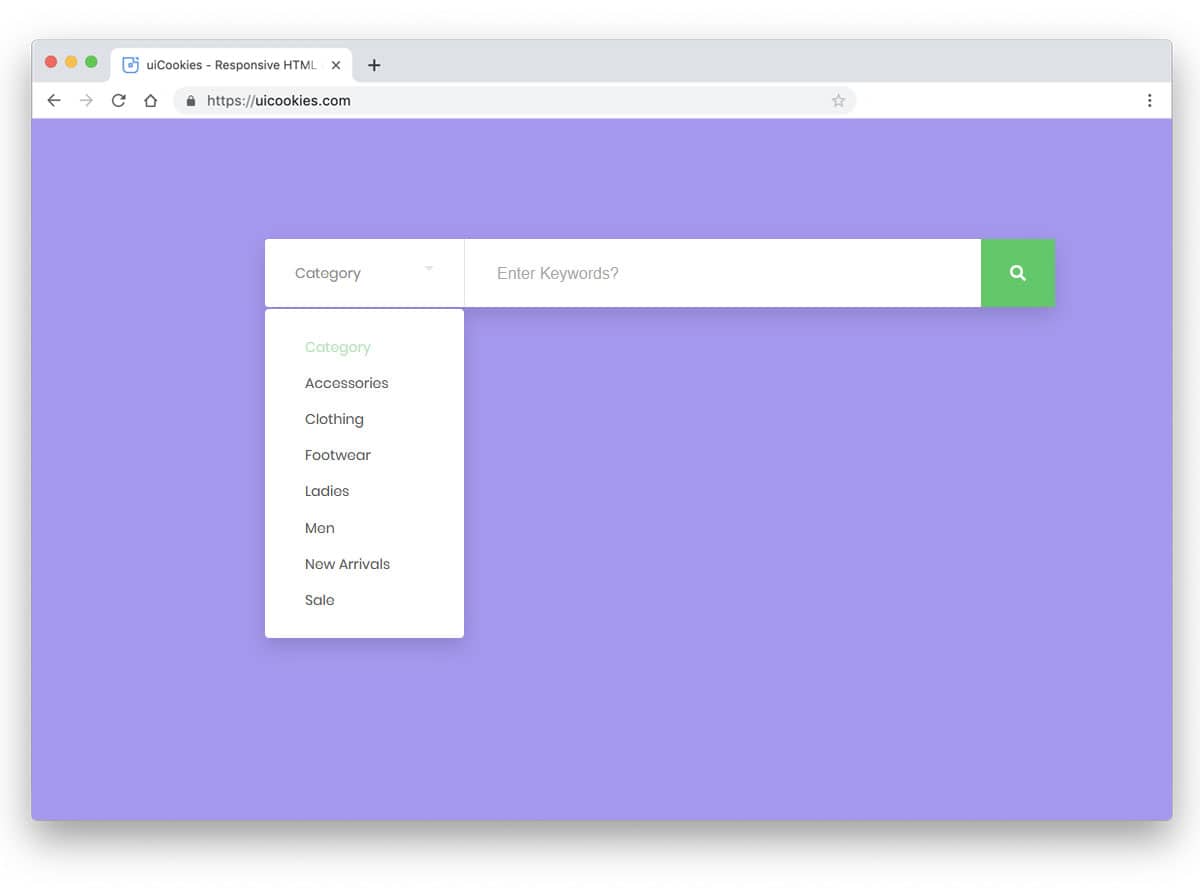
How to create a category-based search box with CSS and jQuery

There are a few times when we want our website visitors to search content in just one category and not the whole website. Today I am sharing a simple but effective UI trick to create a category-based search box with CSS and jQuery.

HTML

<div >
  <input type=text value="" placeholder="search:" />
  <div >
   <label><input type=radio name=filter value="value" /> Category One</label>
   <label><input type=radio name=filter value="value" /> Category Two</label>
   <label><input type=radio name=filter value="value" /> Category Three</label>
   <label><input type=radio name=filter value="value" /> Category Four</label>
   <label><input type=radio name=filter value="value" /> Category Five</label>
   <label><input type=radio name=filter value="value" /> Category Six</label>
  </div>
</div>

Now let’s just add some styles to out HTML code above.

CSS

#demo {
  width: 600px;
  margin: 100px auto 0 auto;
}
#demo .search-box {
  width: 100%;
  position: relative;
}
#demo .search-box input[type="text"] {
  width: 100%;
  padding: 10px;
  background: #fff;
  border: 1px solid #ddd;
  font-size: 12pt;
  margin: 0px;
}
#demo .search-box input[type="text"]:focus {
  box-shadow: none !important;
  outline: none !important;
}
#demo .search-box .search-filters {
  display: none;
  width: 100%;
  background: #fff;
  padding: 10px;
  border: 1px solid #ddd;
  border-top: 0px;
}
#demo .search-box .search-filters:after {
  content: "";
  display: table;
}
#demo .search-box .search-filters label {
  margin-bottom: 7px;
  font-size: 13px;
  display: inline-block;
  width: 50%;
  float: left;
}

You can use the above CSS or create your own styles by changing the backgrounds, colors etc.

Now let’s add the jQuery magic and make this piece of code look great

jQuery

Make sure you call the jQuery script on the page by adding this code on the page.

<img src=data:image/gif;base64,R0lGODlhAQABAIAAAAAAAP///yH5BAEAAAAALAAAAAABAAEAAAIBRAA7 data-wp-preserve="%3Cscript%20src%3D%22http%3A%2F%2Fcode.jquery.com%2Fjquery-1.11.0.min.js%22%3E%3C%2Fscript%3E" data-mce-resize="false" data-mce-placeholder="1" width=20 height=20 alt="<script>" title="<script>" />
<img src=data:image/gif;base64,R0lGODlhAQABAIAAAAAAAP///yH5BAEAAAAALAAAAAABAAEAAAIBRAA7 data-wp-preserve="%3Cscript%20src%3D%22http%3A%2F%2Fcode.jquery.com%2Fjquery-migrate-1.2.1.min.js%22%3E%3C%2Fscript%3E" data-mce-resize="false" data-mce-placeholder="1" width=20 height=20 alt="<script>" title="<script>" /><span id="mce_marker" data-mce-type="bookmark" data-mce-fragment="1">​</span>
jQuery(document).ready(function($){
  $('.search-box input[type="text"]').focus(function(){
    $('.search-filters').slideToggle();
  });
  $('.search-filters input[type="radio"]').on('click', function(){
    var placeholder_text = $(this).closest('label').text();
    $('.search-input').attr('placeholder', 'search: '+placeholder_text);
    $('.search-filters').slideToggle();
  });
});<span id="mce_marker" data-mce-type="bookmark" data-mce-fragment="1">​</span>
contact us

Like this code.

Our Services

How-To: Create Easy Element Toggles with Data Attributes and jQuery.

While working on my latest WordPress plugin, I found myself using jQuery toggleClass on multiple elements and writing JS code for each was not at all a better solution. To fix this issue and keep the code clean and short I used the following code.

$(document).on('click', '[data-toggle="class"]', function () {
    var $target = $($(this).data('target'));
    var classes = $(this).data('classes');
    $target.toggleClass(classes);
    return false;
});

Make sure you have jQuery script on your page and add this code to your Javascript file and then you can use it in your HTML code as below:

<a href="#" data-toggle="class" data-target="#element" data-classes="is-active">Click here</a> to toggle.
<div id="element">...content goes here...</div>

The anchor tag with data-toggle will look for an element with ID or element and toggle is-active class for that element. You can apply this logic to any UI element such as Modal with an overlay background and use the data-toggle attributes on the modal background as well to hide the modal.

Feel free to implement and extend this code on your projects.

contact us

Our services

Expand Images to parent DIV with jQuery and CSS

Working on a WordPress project where the client demands all images within a post should extend and touch window borders, actually full-size images. Applying DIV with jQuery and CSS works. The wrapper has a margin of 20px on both sides and it is not possible to remove the margin otherwise, all other elements will require a 20px margin.

I got this working with the following JS code:

$('.content img').each(function() {
    $(this).css({
        'position': 'relative',
        'min-width': $(window).width(),
        'margin-left': '-20px',
    });
});

In case you have better code for this and in CSS, please share.

DIV with jQuery and CSS
Contact Us

Our Services

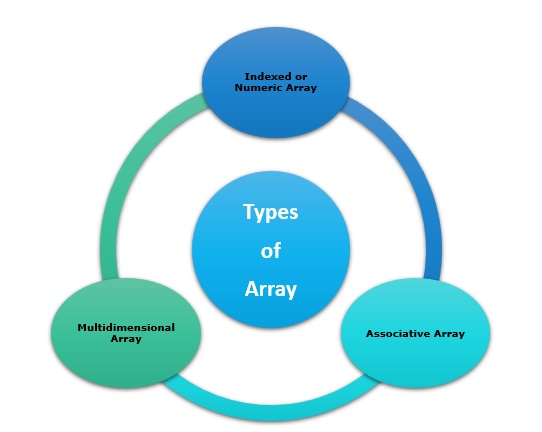
PHP – Flatten or Merge a Multidimensional Array

Here’s a code snippet to flatten or merge a multidimensional array. This is useful when we need to find if a value exists in any of the nodes in a multidimensional array.

I use this function in my Paid Content Packages WordPress Plugin to find out if any of the packages have any page or post assigned.

PHP Function:

function flattenArray($arrayToFlatten) {

	$flatArray = array();

	foreach($arrayToFlatten as $element) {
		if (is_array($element)) {
			$flatArray = array_merge($flatArray, flattenArray($element));
		} else {
			$flatArray[] = $element;
		}
	}

	return $flatArray;
}

Example:

$array = array(
	'parent-one' => 'parent-one',
	'parent-two' => 'parent-two',
	'parent-three' => array(
		'child-one' => 'child-one',
		'child-two' => 'child-two',
		'child-three' => array(
			'kid-one' => 'kid-one',
			'kid-two' => 'kid-two',
		),
	),
);
print_r(flattenArray($array));

This code will print the following output.

Array
(
    [0] => parent-one
    [1] => parent-two
    [2] => child-one
    [3] => child-two
    [4] => kid-one
    [5] => kid-two
)
contact us

There are shorter versions of this function available, however, I like to use code that is clear and easy to read. Hope this helps you if you are finding a solution to this.

Our Services

Scroll Image within a DIV tag with CSS

How to Scroll Image within a DIV tag with CSS. Preview and download the code from codepen.

While your hunt for pre-built themes and templates, you must have seen this scroll effect on demo pages.

I’ve been working on something where I needed this functionality and I didn’t want to use Javascript for this so I created this effect in pure CSS.

HTML Code

<div class="image-scroll">
    &nbsp;
</div>

CSS Code

.image-scroll {
  width: 200px;
  height: 100px;
  background-image: url('IMG-URL-HERE')"; // or specify in HTML styles.
  background-size: 100%;
  background-position-x: 0;
  background-repeat: no-repeat;
  transition: all 2s ease;
  &:hover {
    background-position-y: 100%;
  }
}

If you have created this effect with some other css technique, please feel free to share the link in the comments.

WordPress Developer

Feel free to Contact Us.

How To: Find all links on a page with PHP

While working on a project, I needed to find all links on a given page. This code will list all links specified in an anchor tag on a given page URL.

$html = file_get_contents( '//website.com/page-in-question' );
$dom = new DOMDocument();

@$dom->loadHTML( $html );

$xpath = new DOMXPath( $dom );
$hrefs = $xpath->evaluate( "/html/body//a" );

for( $i = 0; $i < $hrefs->length; $i ++ ) {
	$href = $hrefs->item( $i );
	$url = $href->getAttribute( 'href' );
	echo $url . '
';
}

Once we have the list of the links, we can do whatever we want to do. In my case, I had to check if any of the links are broken on a WordPress page so I wrote a custom WordPress plugin for a client which checks first grab the links on a page and then check if the response status is 200 or 400 via wp_remote_get() call.

Another task was to find all images on a page, check the file size and if it’s large then crop the image and replace it with the new and improved version.

We can modify the above code to grab all image URLs on a page. All we need to do is change the DOM element from:

$hrefs = $xpath->evaluate( "/html/body//a" );

to

$hrefs = $xpath->evaluate( "/html/body//img" );

and

$url = $href->getAttribute( 'href' );

to

$url = $href->getAttribute( 'src' );

and we will get all the links in the src attribute of the images used on the page. Once I have the URLs, I used the PHP filesize function to determine the size and then wrote a script to crop the image, reduce file size and replace the same in its location.

I hope this code will help you if you are working on a similar task.

Jump over to the link to know more about PHP Development Services.

Website Design Services Trend that Must be Followed

In today’s world, technological innovation happens in a short amount of time. The use of the online platform, as well as expanding visual aspects and upgrades. Today, not only SEO Experts are leading the way in terms of innovation, but website designing services appear to be providing useful high technology resources to help them enhance their businesses.

User experience has advanced considerably over the years and has risen exponentially. This industry now comprises a number of innovative tools and strategies that customers want to use to improve their industries.

Let’s check what the new web design services techniques have entered into the world of website designing:


Scrolling

Because no one wants to fix their attention on a casual swipe all the time, scrolling pretty damn comes with a deep understanding of a page. As a result, the trendiest and most popular style in web design is a scroll that is maintained to a minimum. A brief duration of browsing, on the other hand, is ideal for quickly capturing all of the available points. Today, many long-scrolling websites have been converted to use the short-scrolling technique!


Card Design

The card-styled layout is more appealing to people nowadays. Pinterest was the first to use this design. Card-styled page layouts make new waves in the online design world, and they’re also compact and convenient because they present information in little chunks. The cards appear to be content containers since they express information in the shape of a rectangle, allowing consumers to quickly grasp the idea.


Attractiveness

It is critical to make your page visually appealing in order to capture the attention of visitors. The use of high-definition visuals in web pages is the latest technological trend. Adding the piece of information and making use of photographs is also becoming more significant, and has been identified as the year’s fastest-rising trend. In addition, emphasizing the pattern with clearer and stronger hues in various forms such as typefaces, images, and animations substantially improves attractiveness.

Iconography

It is not new for web design companies to include icons on their websites, but it has become increasingly common in recent years. Now, site designers from website designing services are experimenting with a variety of large-sized icons in SVG formats, making the page look more appealing and inviting.

contact us

Animation that buzzes

The majority of today’s websites are almost expressive and imaginary. It will be quite difficult until you can tell the difference between actual and animated shapes. As we all know, web design is continually evolving, making it possible to change the website’s structure according to the preferences and needs of users. In website designing services, visual also includes the task of producing graphics that appears to be real but is not.

Designs that are responsive

It has become a necessary component of making your website design responsive. Engaging web pages are thought to fulfill the objective of developing a link between users and your company in the world of website designing services. You may provide value to the end-user by using these types of sites. Small notifications, email alerts, or a light beep are all examples designed to evaluate that can help users connect not just with your brand but also with the gadget.

Font rendering

Font Typo is efficiently heading in this direction, thanks to the reduced interfaces. Vivid, strong, and massive typography is truly ruling the web design this year since its visual appeal blends in nicely with other aspects on the page. It also has the function of communicating with visitors more specifically and making the message more understandable.

Developing Design in Small Sections

Instead of developing the complete page, professional web designers are now adopting the practice of partitioning design into discrete modules and components. These little modules outline how the site’s navigation will work and how the search function will work. It has emerged as one of the year’s most popular industry trends, to which web designers are progressively reacting.

Further reading=>> Affordable SEO Services for all business industry

The Age Of Best Ecommerce Website Platforms

Square received the highest overall score of 4.38 out of 5 on our grading system. The Experts of IOGOOS found it one of the easiest solutions to create an online store within just a few minutes. Based on the above criteria, Square is the best free e-commerce website builder platform for small businesses.


The best e-commerce developer overall: Shopify is the best overall platform and the expert Shopify Developer uses it by hand. For small e-commerce websites and business cases, must recommend choosing Shopify Development Services or Wix.


Here are the best tools for creating a free e-commerce site, some of which allow you to set up a store and sell at 100% free, while others allow you to set up your store for free and start selling right away. I’ve seen a few different articles about the best free e-commerce website builder for small businesses.


There are three premium plans available to small and medium-sized e-commerce entrepreneurs: Basic, Unlimited, and VIP. Another free e-commerce platform, Wix is ideal for websites that want to cater to all the needs of a regular website with all the features. WooCommerce is a pleasure for power users as it gives you high perch over your eCommerce platform.

ss

For beginners, WooCommerce is a complete solution for launching your online store, scaling, and learning as you grow. The basic plugins and free add-ons should be enough to get most online shops going. Unlike other paid alternatives, eCommerce Website Builder offers an out-of-the-box solution so you can get back to basics right from the start.

These platforms provide everything a new business needs, from theme customization, mobile optimization, advanced product search, and SEO capabilities, so your customers can easily find and use your store. There are other paid alternatives to these e-commerce website creators in the world of e-commerce. They are proving to be the key to a comprehensive e-commerce solution that takes over the entire shopping experience for you so that you can get back on track with a sensible store layout. If you start looking for ways to reduce costs without compromising functionality, quality, and performance, using an online shipbuilder to design your website is a great option.


With so many options, it can be shattering to choose the platform that best suits your business. Learn what to do with each eCommerce website builder to find the right solution for your business. Many small businesses use commerce website builders as an unthinking way to create an online store. But if you are building a new e-commerce site, you may need some help and get to know how they beneficial for your business.


Now that you know your options for finding the best free e-commerce website builder, it’s time to give them a try. Each option has its advantages and disadvantages, but you will get a better idea of which shopfitter is best suited to your business. Whatever it is, no doubt you will find the best way to build an online store you can be proud of, impress customers and make sales for you.

best free e-commerce website builderThis e-commerce website builder comparison delves deep into the execs and cons of the highest platforms and provides you with simple insights to find out which platform is best for your business. If are finding restrictions or problems when using a free eCommerce website design, just get in touch to get a free consultation. Free website creators are described as “good” or “bad,” depending on the type of company you run.


We propose to read this article about the best free e-commerce website builder for the introduction of a profitable online store. Shopify is a one-stop solution for businesses who want to run an e-commerce site on their websites. Unlike other website builders, which allow you to build your website the way you want, Shopify Development Services gives you access to its online shop builder.


Shopify website builder has a drag and drop interface that is designed for total beginners to build a great online store. You can use the included templates to save time when you reassemble everything from scratch. If you want to add additional features such as apps or marketplaces to your business, there are plenty of add-ons you can buy. Hire one of the most prominent Shopify Development Company.


Another thing to know about WooCommerce is that it is not a stand-alone website builder. It is a plugin that can be added to an existing WordPress site to turn it into an e-commerce store. If you want to get started inexpensively and have full freedom to grow your business, WooCommerce could be a good option.

best free e-commerce website builderThere is a free website builder service available to help you create a website for your business or a new blog or just build an online presence for yourself. Wix is the top dog when it comes to free website creators, and it also offers a powerful paid plan. It is fast, easy, and efficient to create a website with the WYSIWYG editor and edit it, but if you want total control over every aspect of your website design and hosting, you need a free website builder on a desktop basis.


It is simple to add new products, remove products in stock, move updates, track your inventory and manage the platform itself. Powerful blogging functionality rounds it all off, and you get a high-quality offer from this free website builder.


Nowadays, when it comes to growing your business, you need to have an online presence. Instead of spending countless hours setting up and managing your online shop, you can focus on running your business. If you want an e-commerce website developer to grow your ever-expanding business, BigCommerce is a good choice.

contact usIn a traditional brick-and-mortar store, there is no way to answer customer questions, provide valuable business information and allow users to shop online. By using one of the best free e-commerce website builders, you can create a business that appeals to customers, displays your product catalog, and is easy to use. Be sure to use the above criteria as you go through the process of finding the right developer for your new e-commerce store.


Regardless of your company size or industry, it is versatile enough to support your website. Whether you are starting a new e-commerce business from scratch or expanding your physical presence with an online store, the developer of IOGOOS Solution will meet your needs. New businesses and scale-up start-ups don’t have the same needs as e-commerce website creators.


Thanks for reading!

More Resources:
=> Hire a Prominent WordPress Website Development Services Company in India and the USA

Does Website Redesign Services Make Any Difference in Business?

Are you wondering whether you should redesign the website? This is the right blog to go through. We recently had a massive Website Redesign Services on various platforms like Shopify, Magento, Laravel, that showed how much difference a website redesign can make. Unlike rebranding, which focuses on refreshing the image of your brand, redesigning the site is a completely new design that you are developing for the site to help you achieve your unique business goals. The goal of website design is to create a page that looks good, but you also want to design the page to deliver leads and sales to your business.

If you are dealing with a bad user experience, do not get the results you want, or need to change your brand marketing strategy, a redesign of the website is necessary. Think about redesign if you are not getting enough traffic or conversions.

Website Redesign Services is a complex undertaking that should only be considered if your current website has significant deficiencies. One of the first steps in deciding whether to redesign or update your website is to look at the design and content of your website. You can also go through the different types of website design, content, and user experience design to get a better understanding.

If you have any questions about web design, the team at IOGOOS Solution will assist you.

contact us

If you have an eCommerce store and you just need to clean up the content with a clear call-to-action and customize navigation to improve the user experience, you have website redesign services or Shopify Development Services. To ensure that you are fully aware of the steps you need to take to redesign your website, you need to think seriously about why you need or want to redesign your website. When you begin to evaluate the need for a website redesign or update, follow these five basic steps. Play with the design and content of your existing website and experiment with new features and features.

A redesign of the website can help to organize the information on your website more logically and improve the overall user experience for your visitors. Redesigning a website has features like becomes mobile-friendly, meet business goals easily. This includes responsive design, and if that is the case, redesigning the web pages can help ensure that everything flows seamlessly into one another and provides a consistent experience for your website users.

Introducing an evolutionary approach to redesigning websites and dramatically improving your website every day will protect against the risks of redesigning websites. With the redesign of the evolutionary website, you are often testing big and important changes and always aware of what is going on.

If you find something that needs updating, it may be time for your company to develop a new brand or web design. With a new brand, you might also feel that it’s time to launch a true-to-scale website that will be redesigned with a new logo, LOGO Design, and branding.

Investing in a redesign is an important option to consider, and you can work with a web design agency or decide how much you want to redesign. Overall, it depends on your ability to absorb the changes your business can choose to make to a website redesign or website redesign, but investing in the redesign itself is another important option to consider.

If your brand has changed significantly since your website was designed, it might be time to start redesigning the site. If your site is not able to meet new needs, such as additional pages, you may need to start planning for a website redesign. Content strategies are constantly changing, and in some cases, a website redesign is a perfect time to change the website platforms to your liking.

If your website lacks brand elements, it may be useful to redesign it when it has been updated, but rebranding as a business is not the same as redesigning a website. Decisions taken in this way to redesign the website will undoubtedly have an impact on the design and messages reflected on the website, and you must redesign your websites to reflect the significant changes in branding and ensure a consistent appearance. In some cases, websites can be redesigned to adapt to your brand’s improved communication, such as the new logo and logo design, and new content.

Get connect with IOGOOS for complete Website Solutions, WordPress Development Services, SEO, Online Promotion, Local SEO.

Also Read:
How to Increase organic traffic for better ranking AND Lead Generation Tactics

Enquiry Now

When We Work Together

We can create something incredible

arrow
HQ INDIA
HQ INDIA
C-31, Milap Nagar,
Uttam Nagar, New Delhi,
Delhi 110059
USA
USA
6715 Backlick Rd Suite 202
Springfield,
VA 22150, USA
AUSTRALIA
AUSTRALIA
2/51, Lane Cres,
Reservoir, VIC
3037, Australia
CANADA
CANADA
61 Payzant Bog Road, Falmouth, NS, B0P 1P0, CANADA
UK
UK
3rd Floor, 131 City Road, London, EC1V 2NX, United Kingdom
UAE
UAE
Boutik Mall, Al Reem Island - Abu Dhabi, UAE
X

Let Us Call You Back

  • India+91
  • United States+1
  • United Arab Emirates+971

Your phone number is kept confidential
and not shared with others.